Janaḥ
Making Civic Issues Visible, Trackable, and Accountable
Region
Hyderabad, Telangana
Year
2025
Product Type
Mobile-first Civic-tech
Industry
Civic Technology · GovTech · Public Infrastructure
The project itself :
Project Overview
Janaḥ is a civic grievance platform designed to help citizens easily report local issues and track them transparently. It connects complaints directly to the right authorities, enabling faster action, clearer communication, and improved public accountability.
Problem:
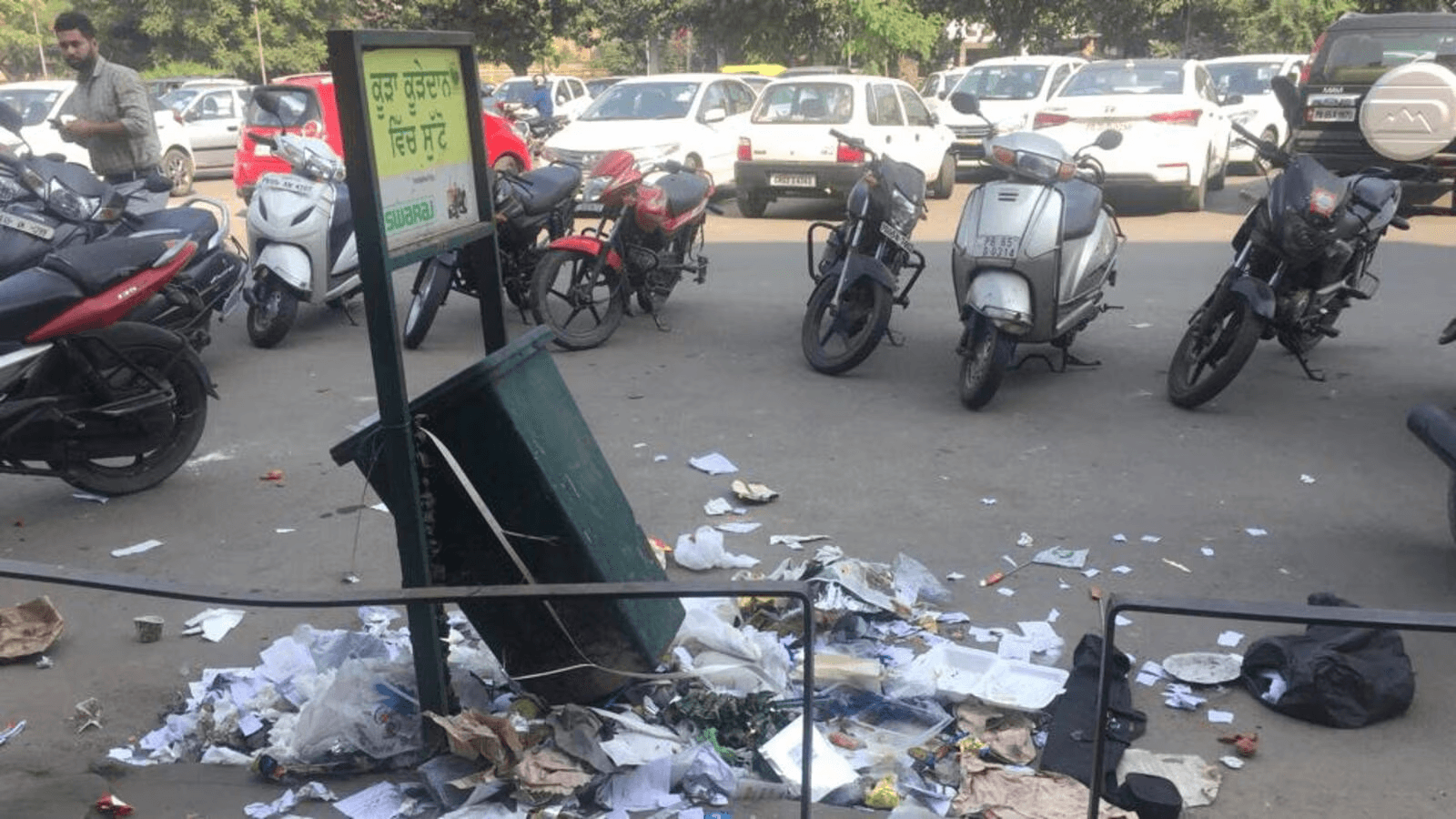
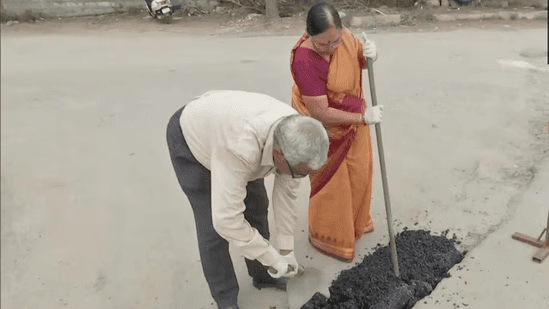
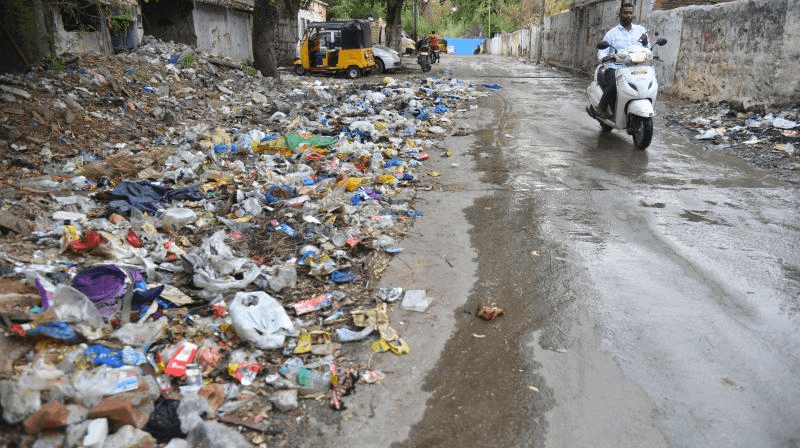
Even in Tier-1 cities like Hyderabad, civic issues such as potholes, sanitation failures, and water leakages often go unreported or unresolved. Citizens lack a clear, reliable way to raise and track complaints, while authorities receive fragmented inputs through calls, manual logs resulting in delayed action, and eroded public trust.
Goal:
To design a unified, user-friendly platform that enables citizens to report civic issues effortlessly while giving authorities a structured, transparent system to track, prioritize, and resolve complaints efficiently.
My role:
Product Designer (Mobile UX/UI)
Responsibilities:
conducting research,
defined personas, User journey,
paper and digital wireframing,
Designed end-end mobile UX UI,
style & reusable components,
making high-fidelity prototype
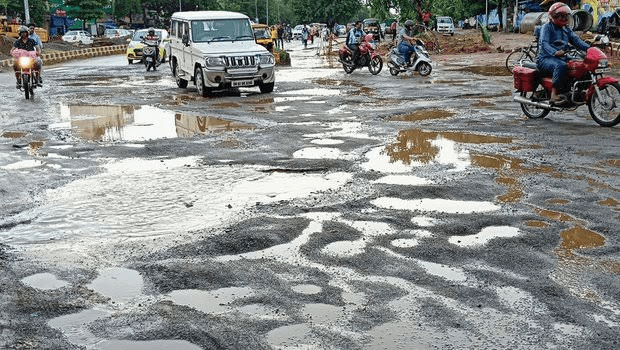
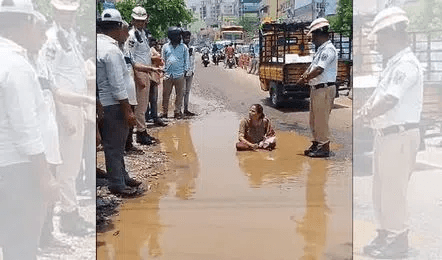
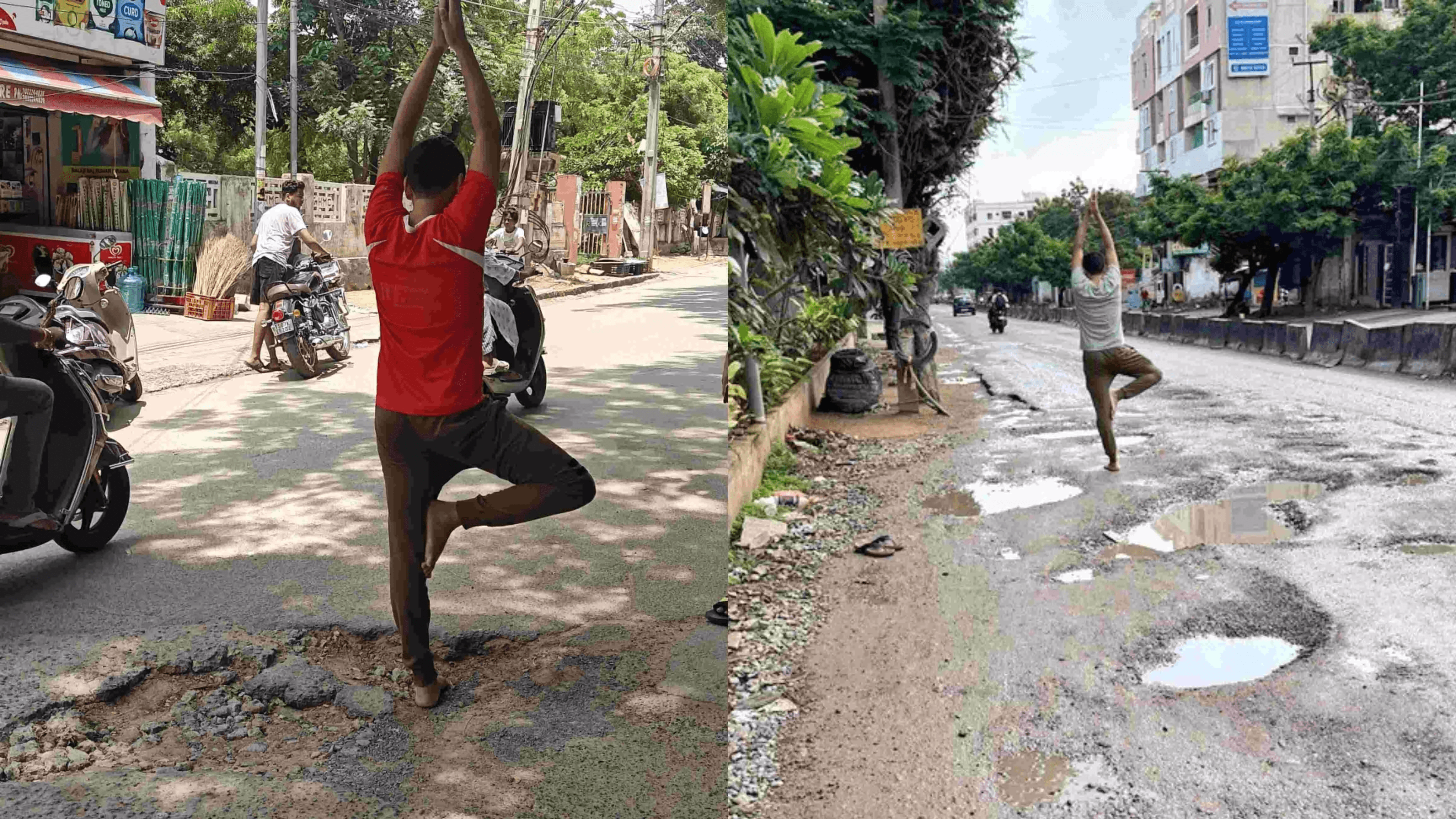
Existing images
Ground Reality
Background Insight:
Historical Context
Before digital tools, civic complaints in India were mostly handled through offline and manual channels, in-person office visits, local ward contacts, phone calls, and handwritten registers.
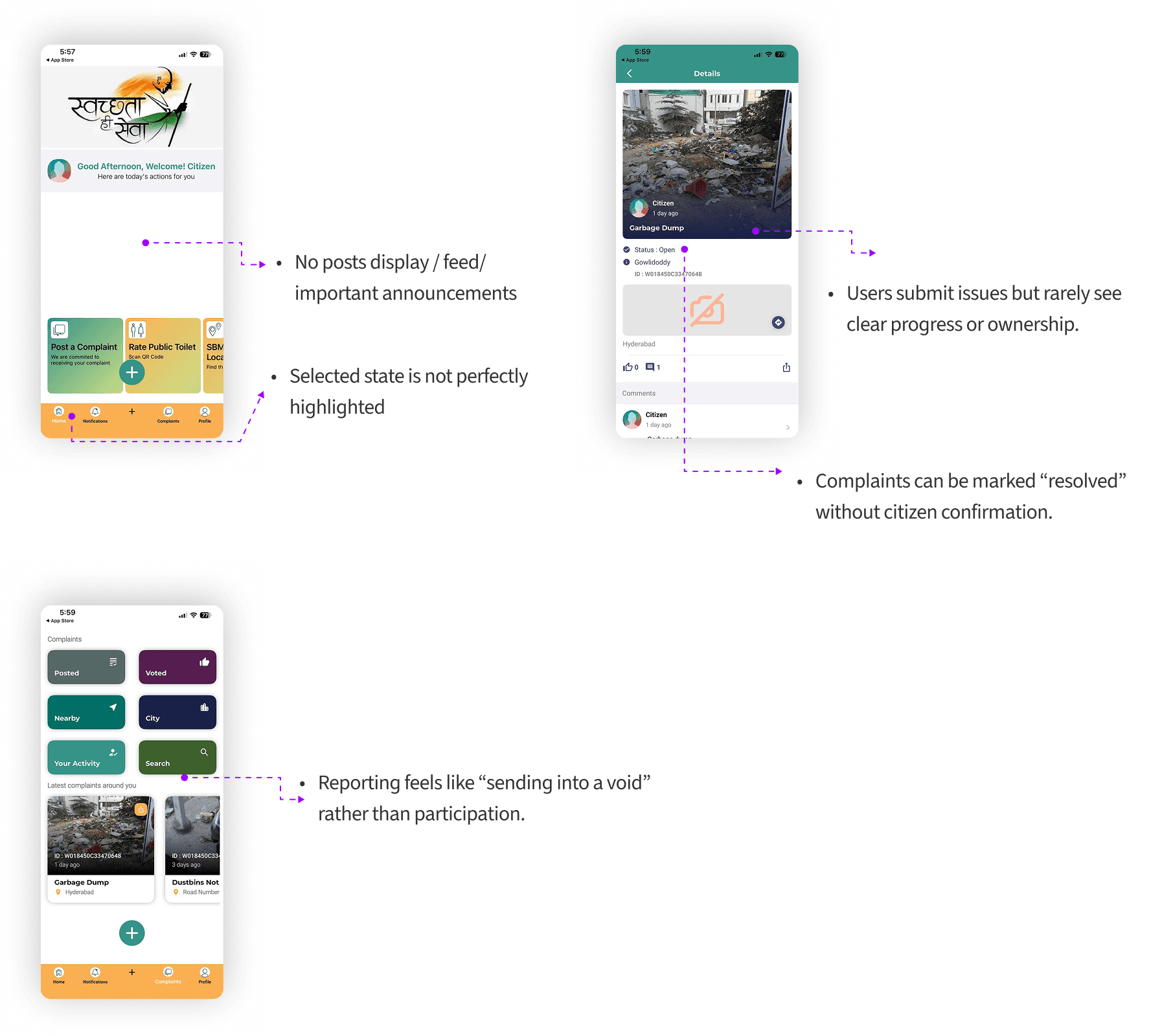
Over time,Platforms like Swachhata proved that photo-based, geo-tagged reporting works, but still struggled with low trust, weak escalation, and inconsistent follow-through
Data from cities like Hyderabad, Mumbai, and Bengaluru also highlight high complaint volumes and long resolution cycles due to ineffective accountability mechanisms.
Understanding these past gaps helped us design Janaḥ as a modern, mobile-first solution that finally addresses visibility, accountability, and ease of reporting.
Swacchhata App:
Existing Civic systems
Why Hyderabad?
Regional Insight:
Contextual Research
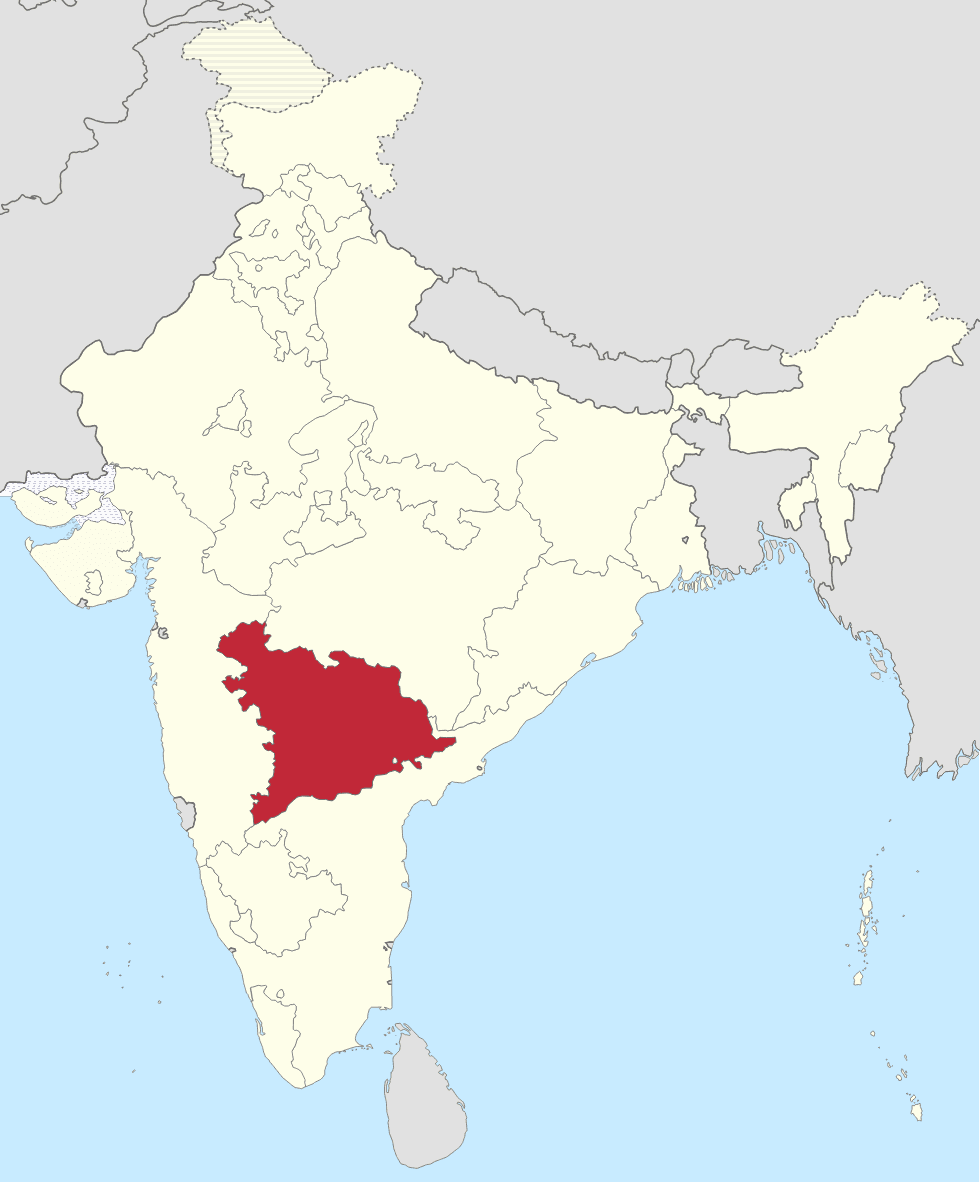
Hyderabad was chosen as the first focus city due to its large population, diverse socio-economic landscape, and ongoing transition toward decentralized ward-level governance. These conditions make it an ideal environment to validate a civic-reporting solution like Janaḥ.
Takeaways
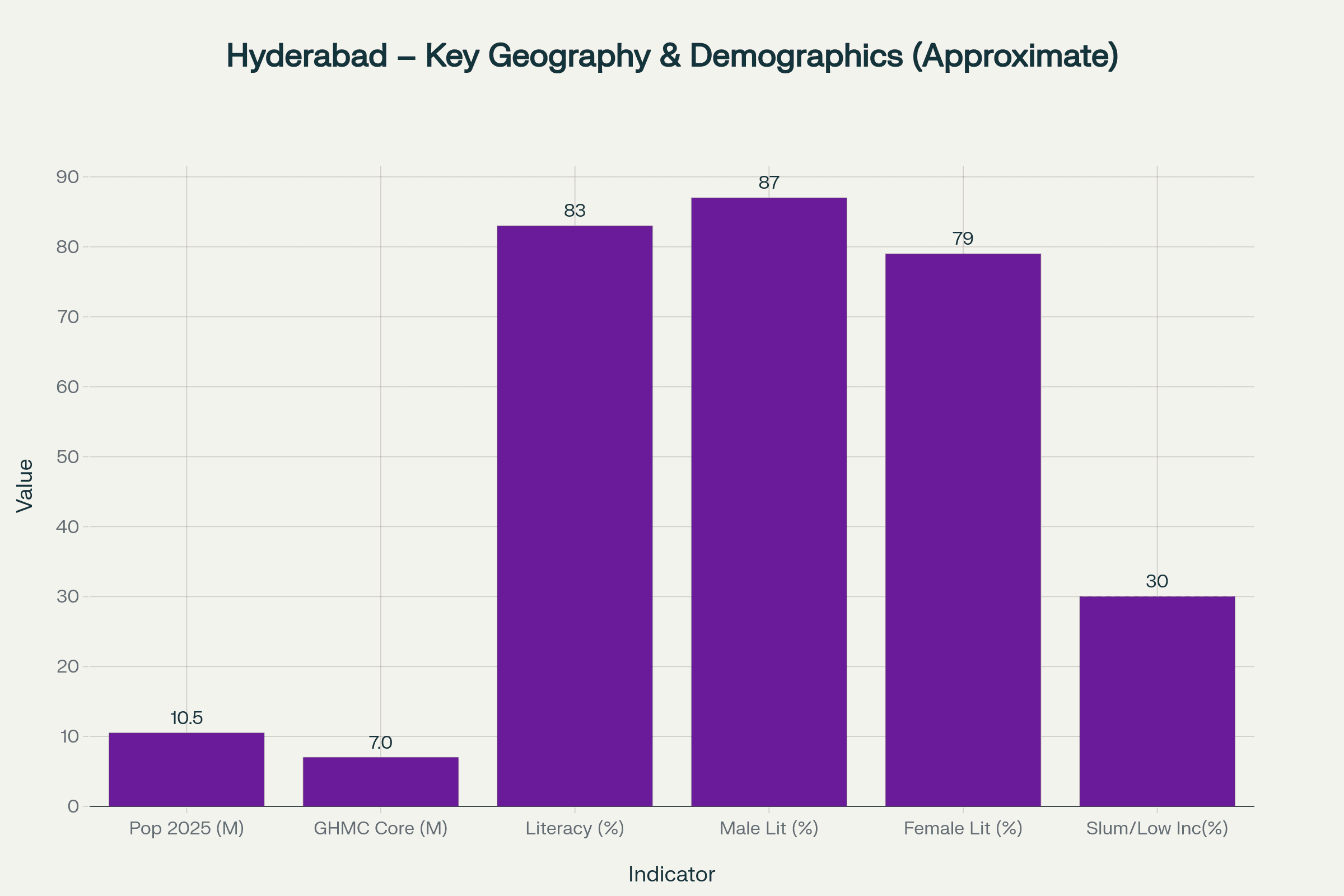
Literacy in Hyderabad is relatively high (≈83% overall; male ≈86–87%, female ≈79–80%), hence Text-based UI can work for many users, but with simple language considering elderly people.
Estimates suggest that over 30% of residents live in slums or low‑income with inconsistent access to services, which aligns with Janaḥ’s focus on underserved wards.
References:
Cultural context :
Language & Culture
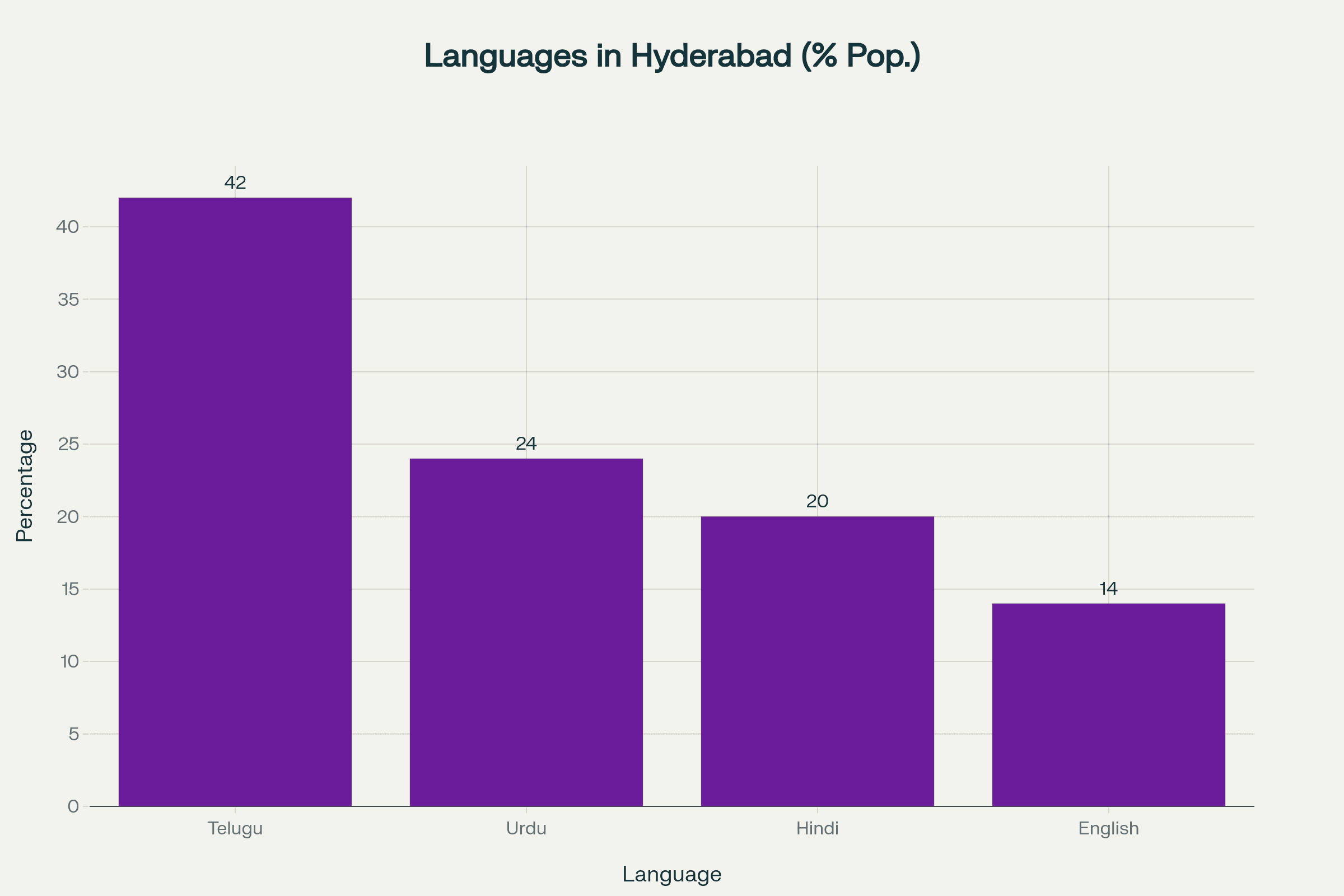
Hyderabad is a linguistically diverse metropolis where the official languages are తెలుగు (Telugu) and اردو (Urdu), with English widely used in administration and education.
Takeaways:
Multilingual support (Telugu, Urdu, Hindi, English) is essential for user adoption in Hyderabad’s culturally rich landscape.
References:
access reality :
Digital Access
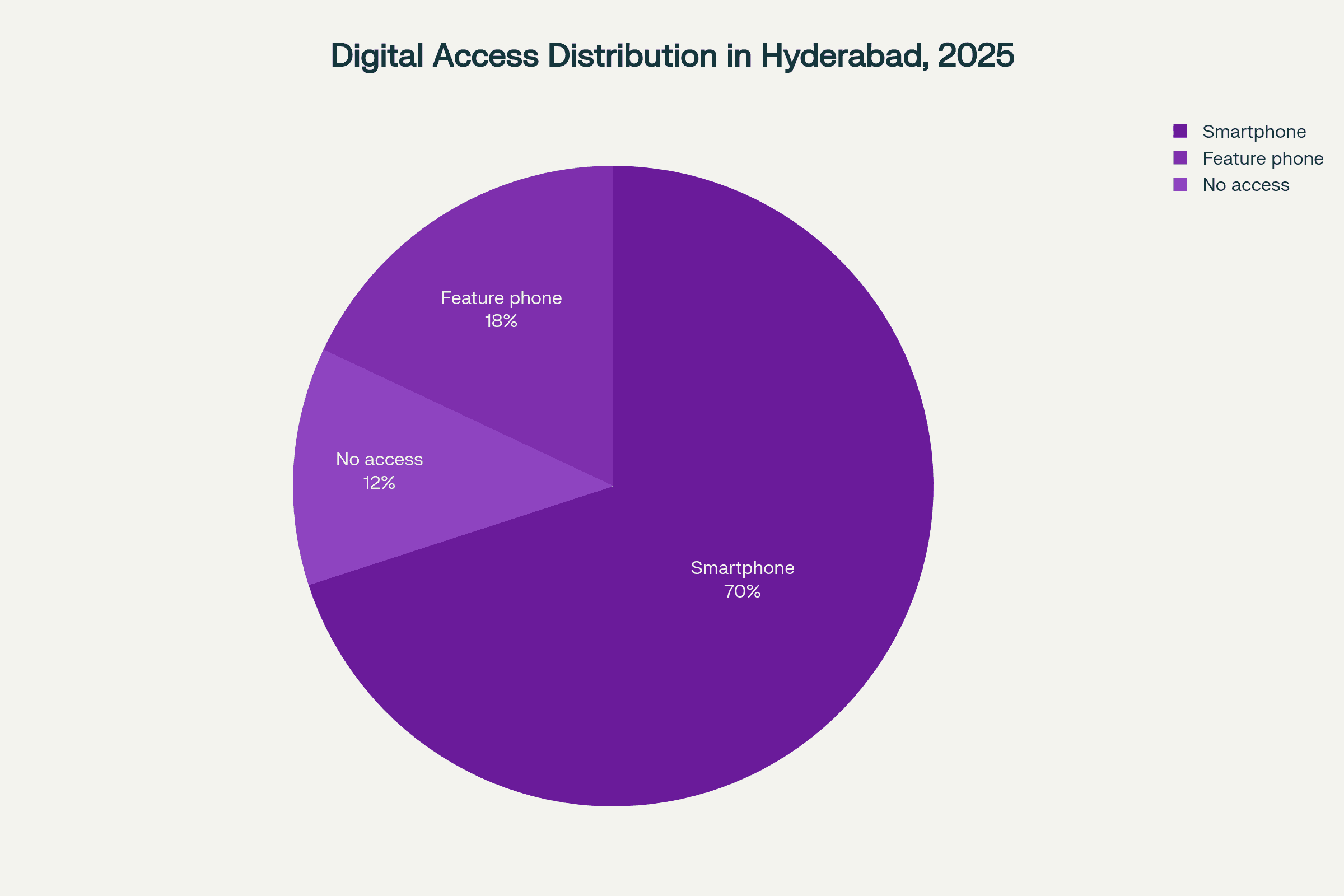
Hyderabad shows high smartphone adoption in middle-income areas, yet many residents in older or low-income localities still depend on phone calls or in-person visits to report issues.
These percentages result from analyzing each factor’s influence on platform design, risk mitigation, and adoption success, consistent with best practices in PESTEL and strategic planning frameworks.
Must support both smartphone and low-tech users through app + IVR/voice options.
Should provide a reliable, trackable alternative to current systems with slow resolution and inconsistent updates.
Needs to build trust through transparency, reducing the need for physical follow-up.
References:
Civic framework
Regulations
Designing Janaḥ required careful adherence to various civic, legal, and social frameworks to ensure the platform is effective, compliant, and trusted by users.
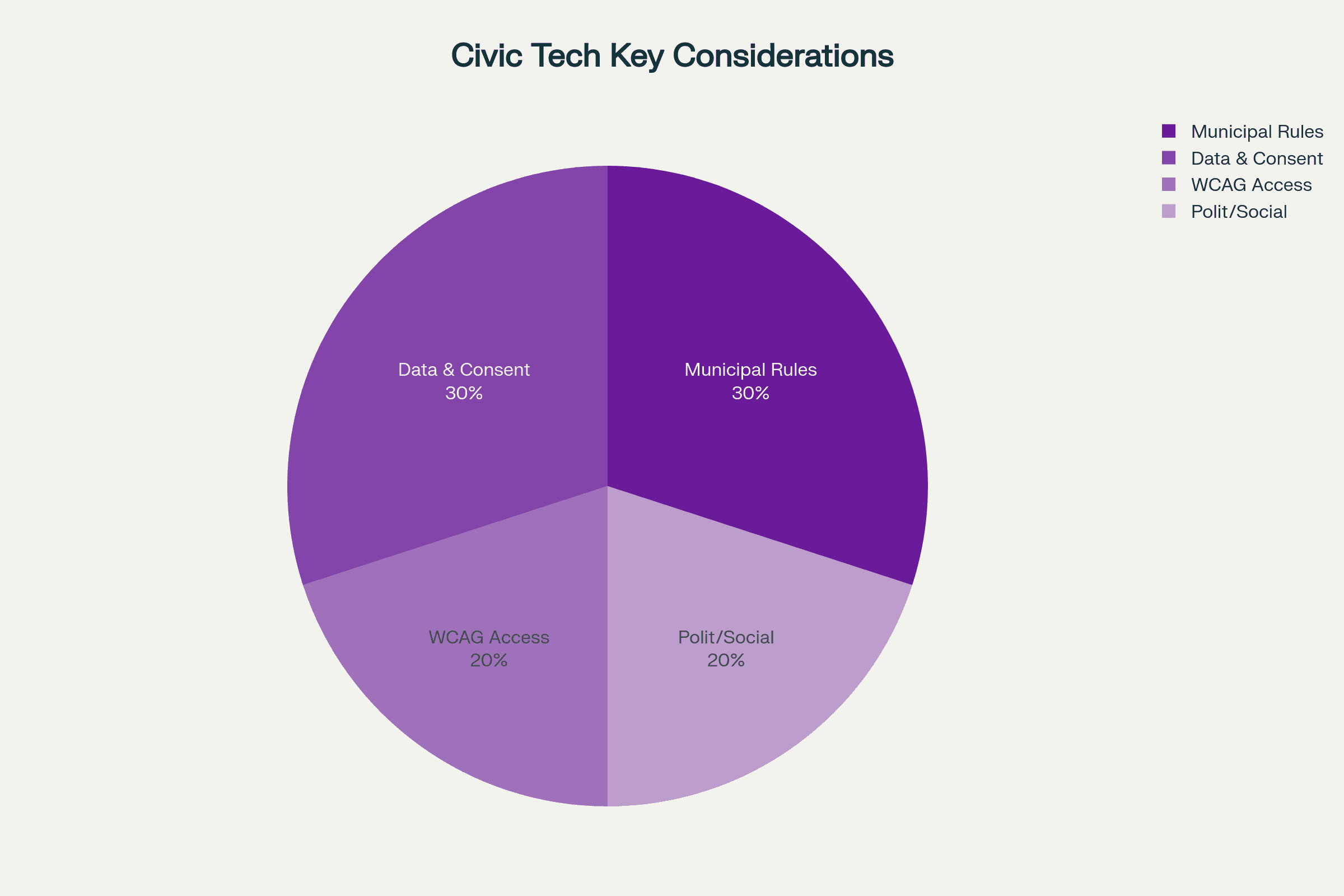
These percentages result from analyzing each factor’s influence on platform design, risk mitigation, and adoption success, consistent with best practices in PESTEL and strategic planning frameworks.
Municipal Rules (30%): Janaḥ aligns with local government rules for how complaints must be logged, routed, acknowledged, and escalated.
Personal data handling (30%): Since Janaḥ collects GPS location, photos, and user details, Explicit consent is required for sensitive data.
WCAG Guidelines (20%): To support citizens across all literacy and ability levels, the design follows WCAG AA principles.
Political/social sensitivity (20%): Presenting public data like heatmaps and leaderboards respectfully, avoiding politically sensitive disclosures.
all about the user
User Research
A design only works when it understands. We used a mixed-method approach combining interviews, field observations, and system analysis to understand how citizens report issues and how authorities manage them.
Research Approach
Double Diamond + Behavioral
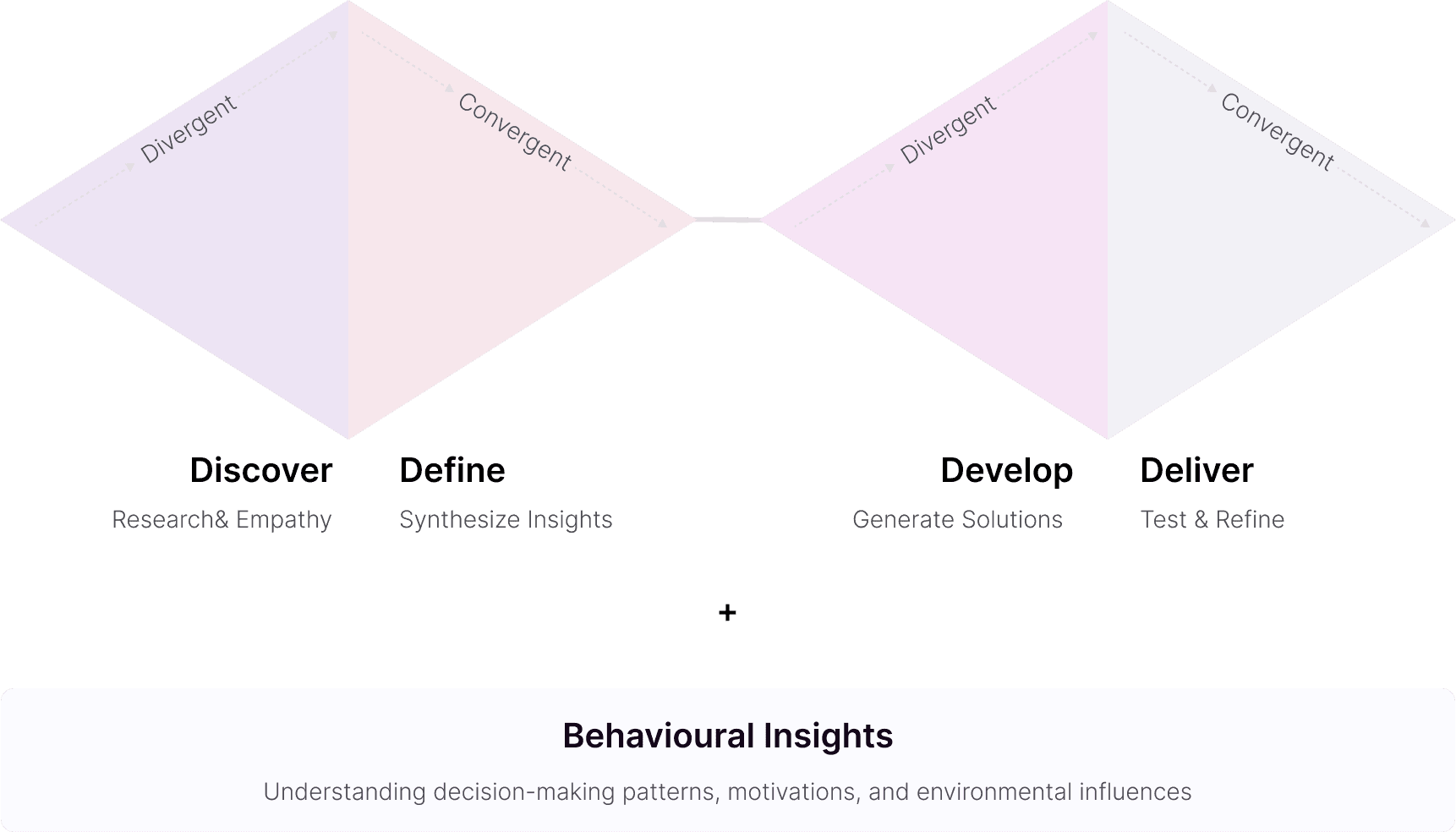
Discover
Secondary Research
Before conducting modeled behavioral analysis and design exploration, We began by reviewing India’s existing civic complaint data, especially focusing on Hyderabad and Telangana.
Complaint volume
2.95 lakh complaints filed annually
2.79 lakh via the GHMC App
15,000+ via Twitter
Click to Expand
Digital Barriers
2G/3G internet limitations
Slow image upload speeds
PWA dependence instead of heavy apps
Click to Expand
Department Confusion
People struggle to understand which ward solves which problem, even the admin also struggles..
Click to Expand
References:
4
Category Breakdown
To understand which civic issues citizens struggle with the most, we analyzed GHMC’s complaint categories. This helped identify the highest-impact areas and shaped how Janaḥ prioritizes its reporting flow.
Below pie chart represents the categories of issues that are majorly reported:
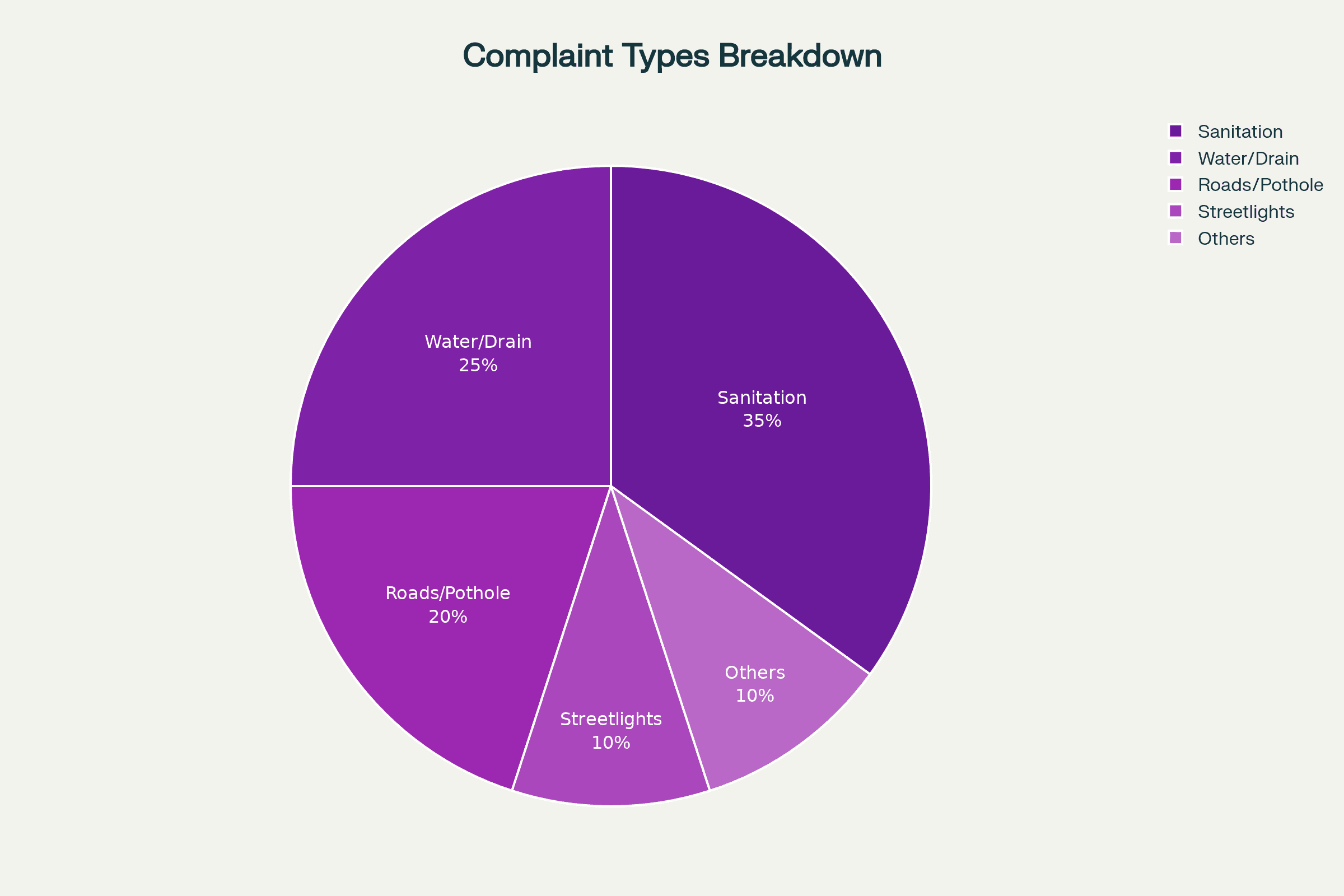
“Sanitation-related issues alone make up over one-third of all GHMC complaints. This informed the decision to prioritize camera-based documentation, quick categorization, and strong routing for sanitation, drainage, and road complaints.”
Competitor Analysis
5
Below are the most relevant platforms for Hyderabad + Telangana + Tier 2/3 users:
Define
Primary Research
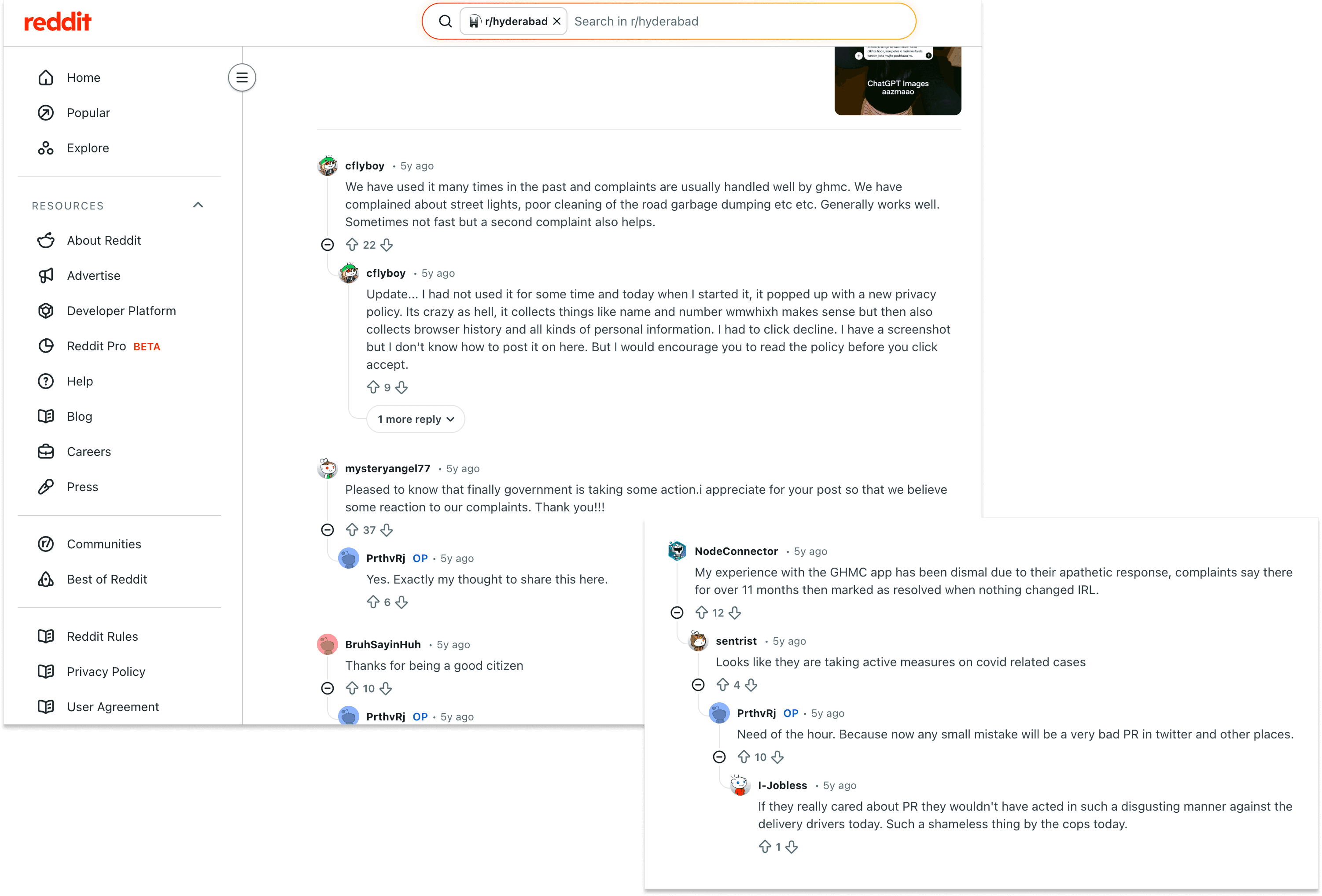
In Define phase, to go beyond data and understand the real human experience behind civic reporting, We, analyzed patterns from citizen complaints, GHMC reviews, social media escalations, and community forums. This helped uncover the behavioral, emotional patterns, and psychological drivers that influence how Hyderabad residents report or avoid reporting local issues.
These insights allowed me to design a system that aligns with how users actually think and behave, not how we assume they do.”
References:
Behavioral Insights
Understanding User
Behaviour is the real blueprint of design. from the secondary research we analyzed and defined user emotional patterns, Mental modes, motivations, frustrations, behaviors, and decision triggers helped us uncover why citizens hesitate, why they abandon complaints, and what psychological cues can encourage them to act.
Mental Models
How users think about reporting
Decision Triggers
What prompts user to act
Emotional Curve Mapping
Tracking feelings throughout journey
Friction Points
Where users get stuck
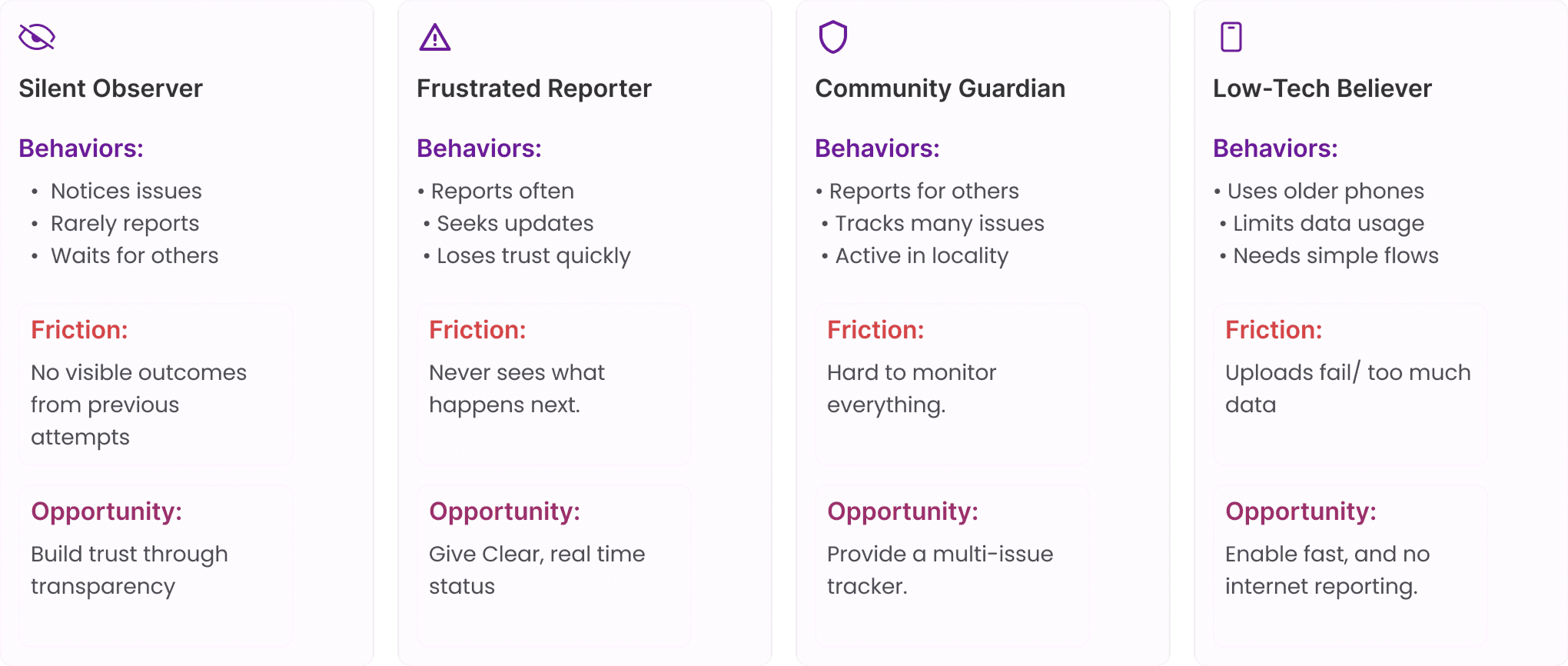
Behavioral Archetypes
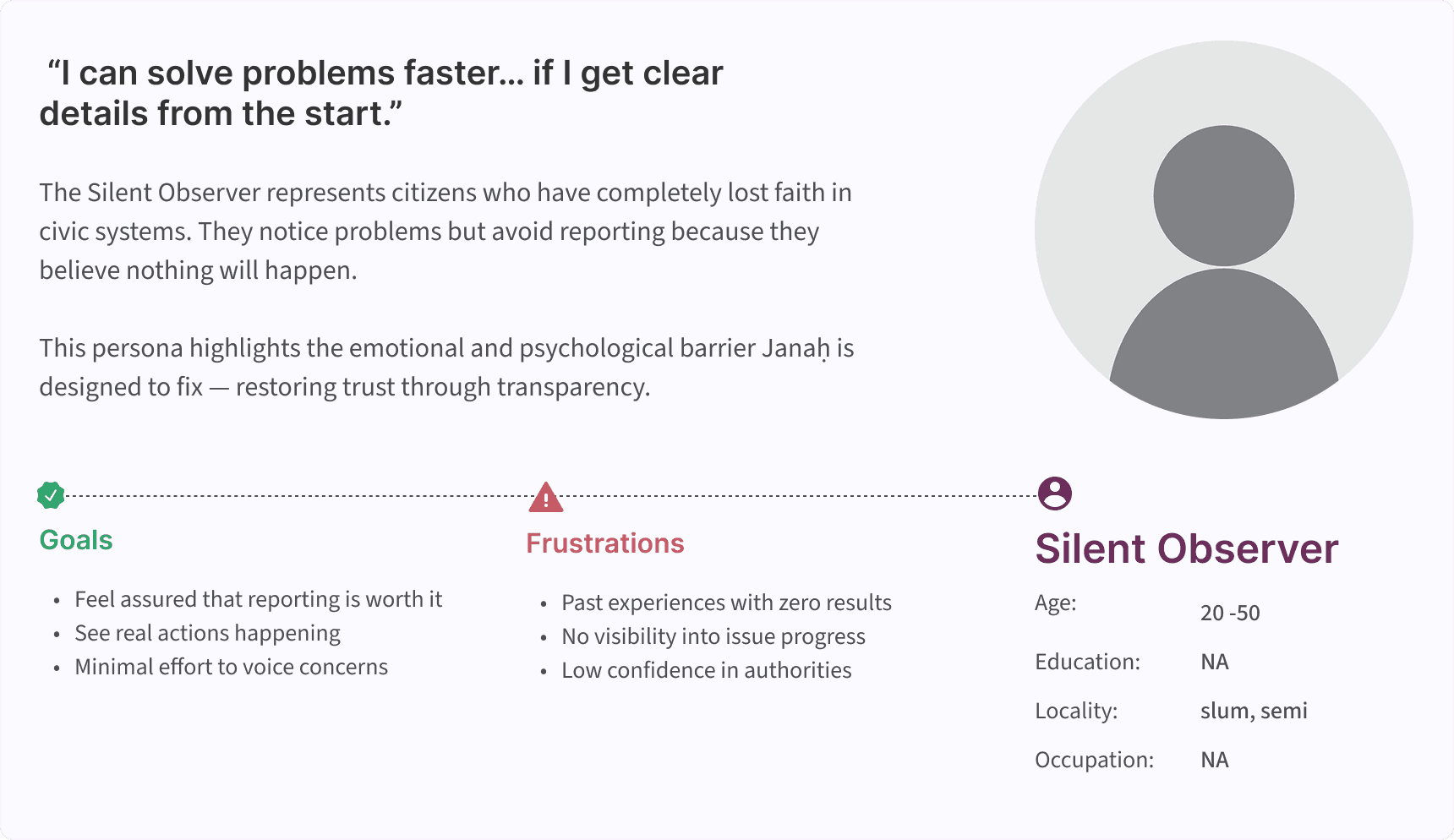
Behavioral Archetypes help capture how different types of citizens think, act, and emotionally respond while reporting civic issues.
To translate user behavior into actionable design decisions, I developed Behavioral Archetypes based on patterns gathered from GHMC complaint logs, app reviews, social media escalations, and RWA community forums.
Unlike demographics, these archetypes reflect deeper behavioral drivers—motivation, frustration tolerance, digital habits, and expectations.
User Persona
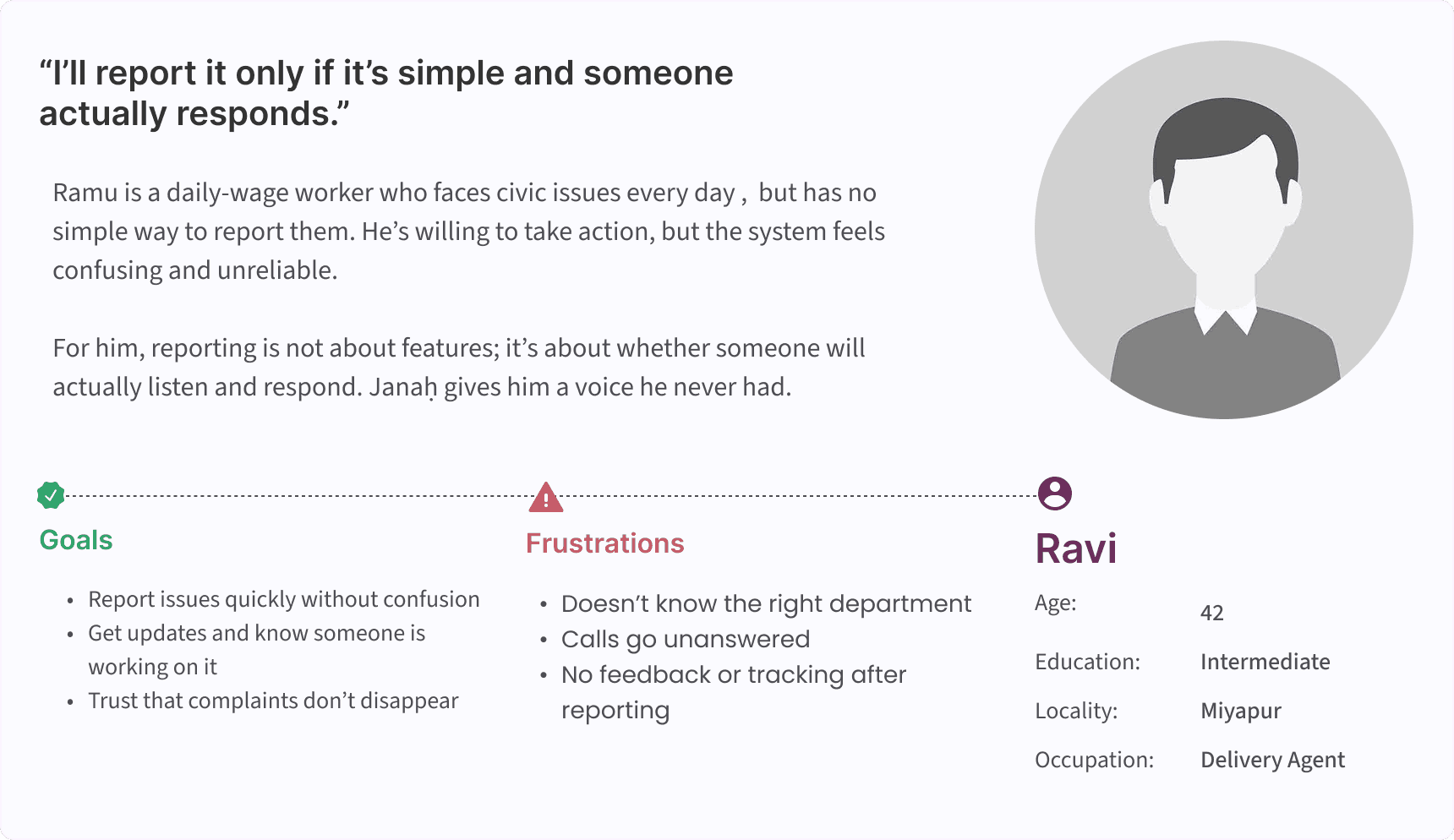
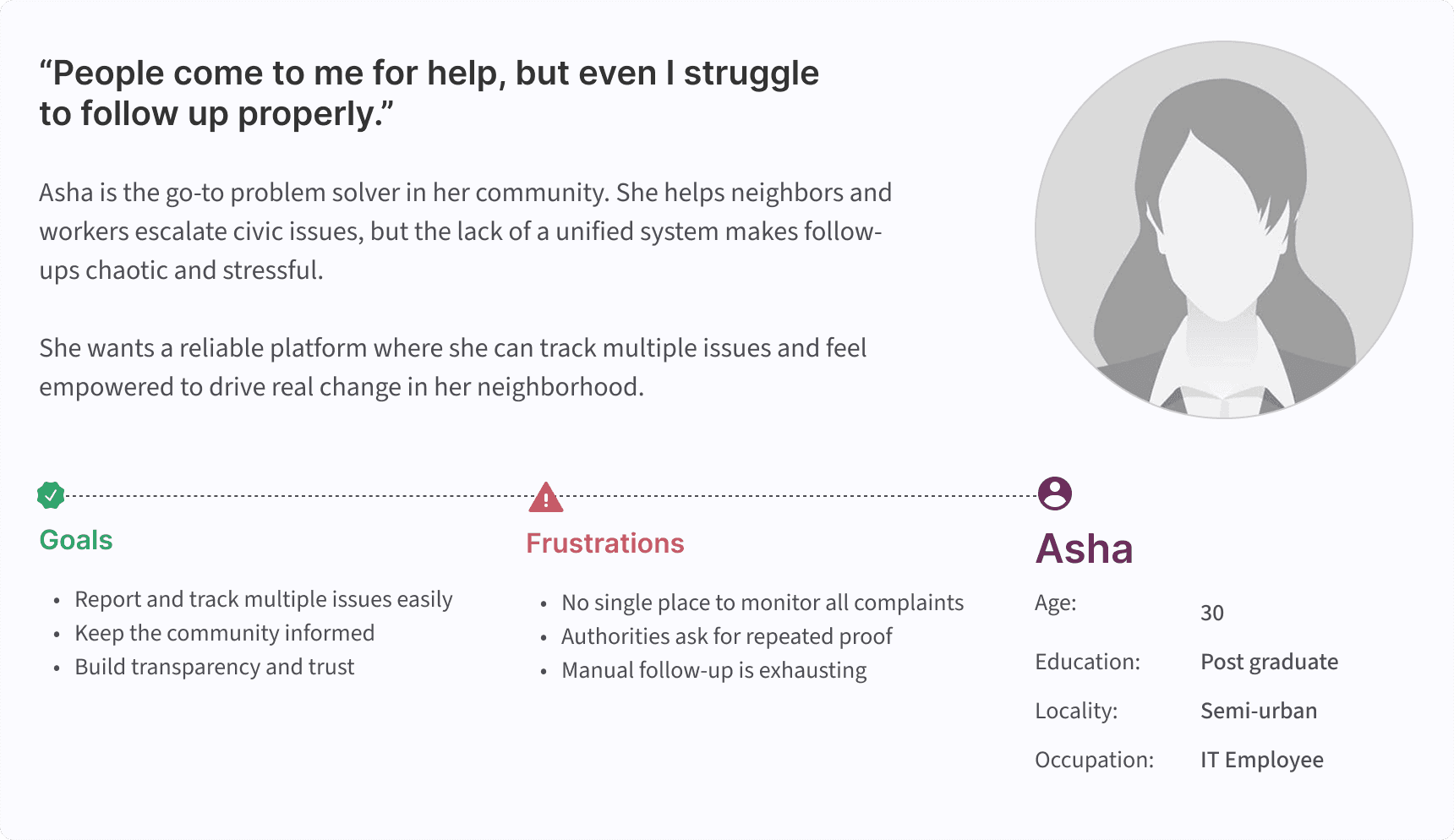
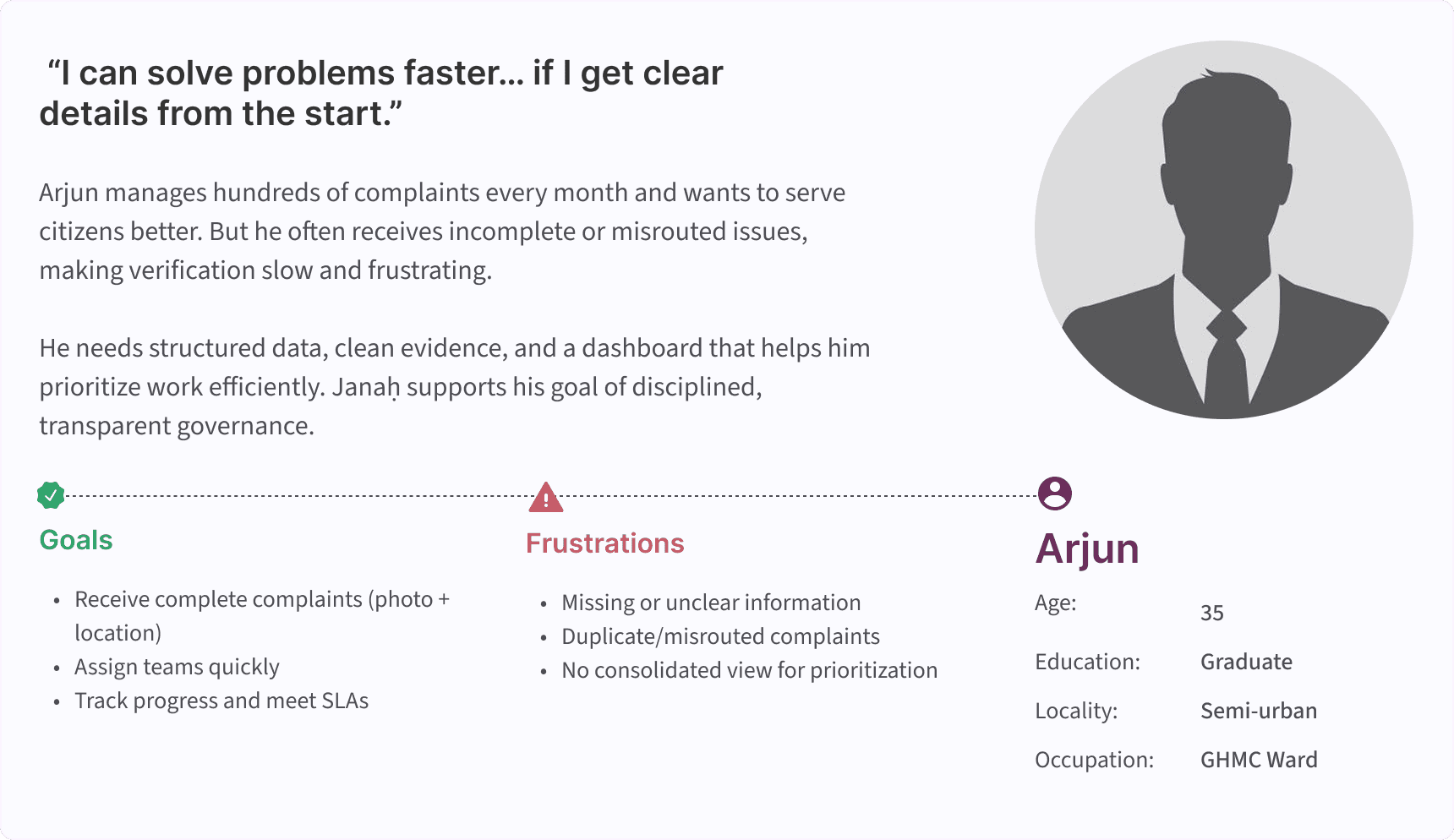
Pain Points
These are the core user pain points synthesized from behavioral patterns, secondary research, and complaint data. They represent the real obstacles citizens face while trying to report civic issues. These insights directly shaped the foundational design decisions in Janaḥ.
Users don’t trust the existing process.
Unclear photos and wrong routing cause complaint failures.
Citizens need to post the issues publicly or Anonymous
No status updates = zero motivation to report again.
Users want proof of resolution.
Low bandwidth and low-end devices create barriers.
Multi-Lingual platform gives confidence to the users
Citizens need Municipality updates & Wards knowledge
How might we?
Turning problem statements into opportunity directions.
1
Simplify reporting?
How might we let users report issues in under 60 seconds?
2
Improve evidence quality?
How might we ensure every complaint includes reliable photo + location data?
3
Build trust?
How might we make complaint progress visible and predictable?
4
Build trust?
HMW ensure citizens feel safe reporting while enabling community visibility when needed?
5
Build trust?
HMW ensure citizens feel safe reporting while enabling community visibility when needed?
6
Build trust?
HMW ensure citizens feel safe reporting while enabling community visibility when needed?
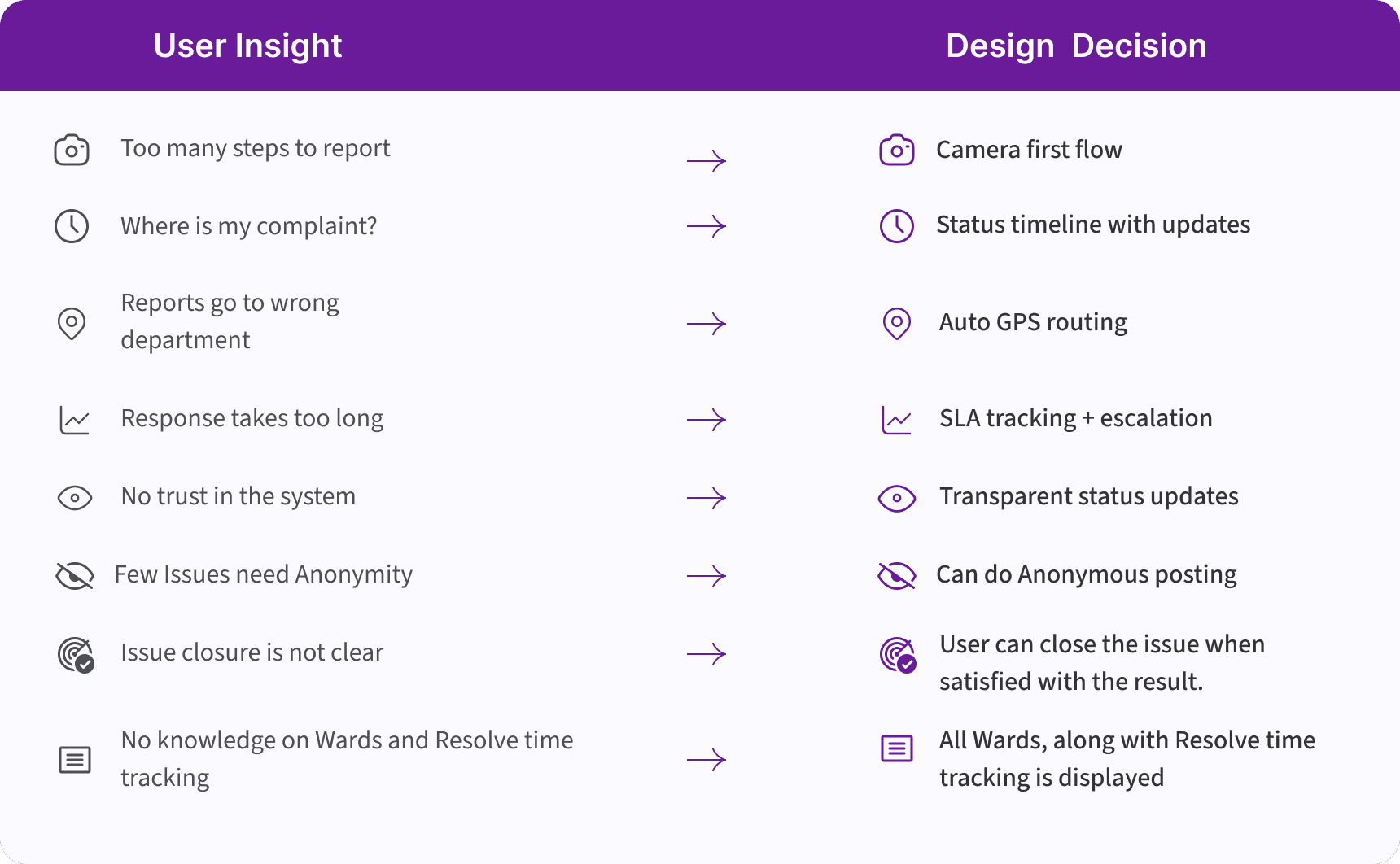
Insight → Design Mapping
How research findings directly informed design decisions
design approach :
Starting the design
After understanding what users struggle with, the Design phase was about turning those insights into clear, simple, and meaningful interactions. My focus here was to reduce friction, build trust, and create a flow that feels natural for citizens using different devices and network conditions.
This stage shaped the actual screens, structure, and experience that make Janaḥ easy to use and reliable in real-world situations.
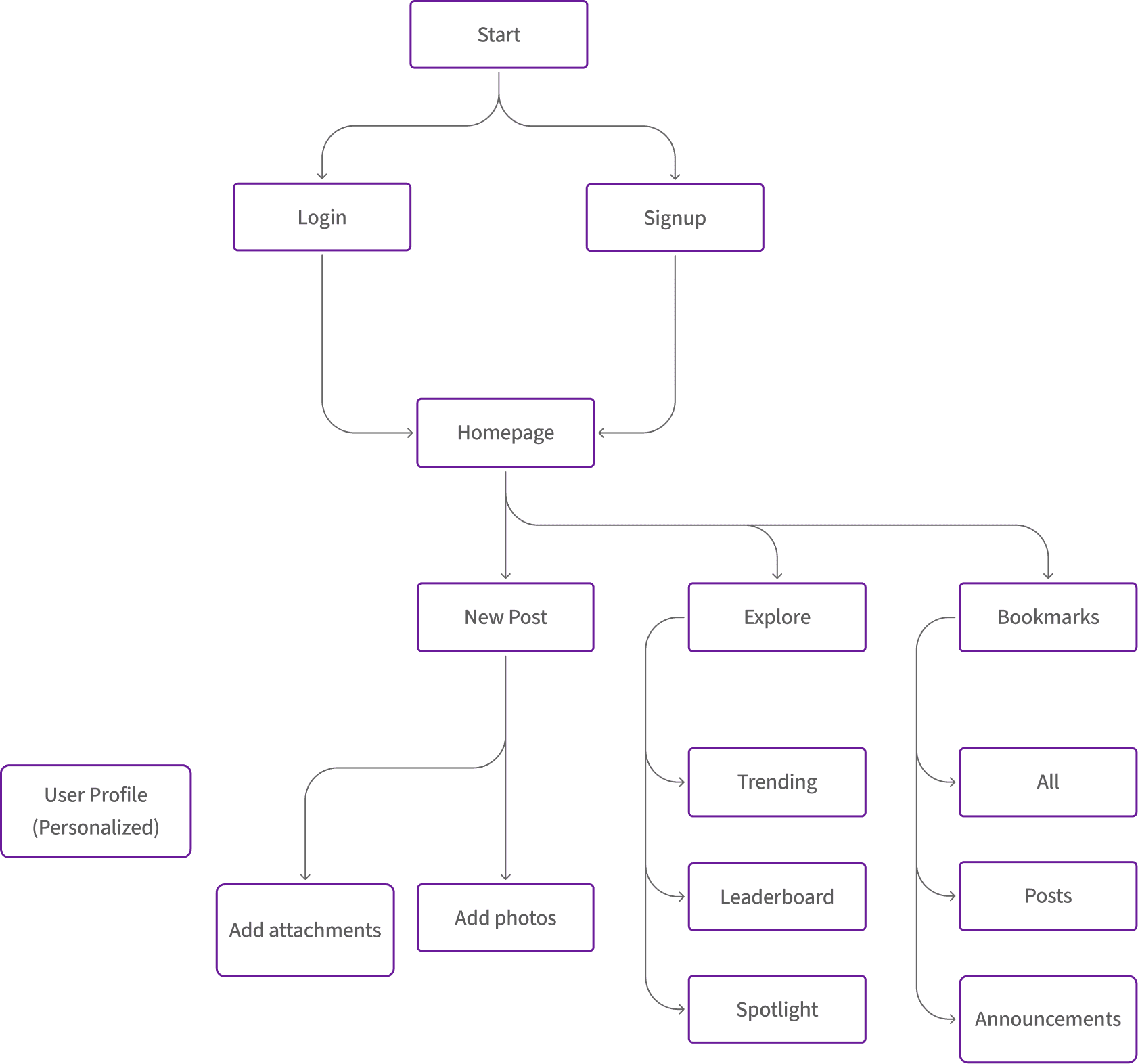
User Flow
Based on the personas, behavioral drivers, and pain-point clusters identified in the Define phase, I mapped the primary user flow for Janaḥ. This flow ensures the reporting journey is frictionless, emotionally reassuring, and tailored to the real constraints and motivations of Hyderabad citizens.”
Digital Wireframes
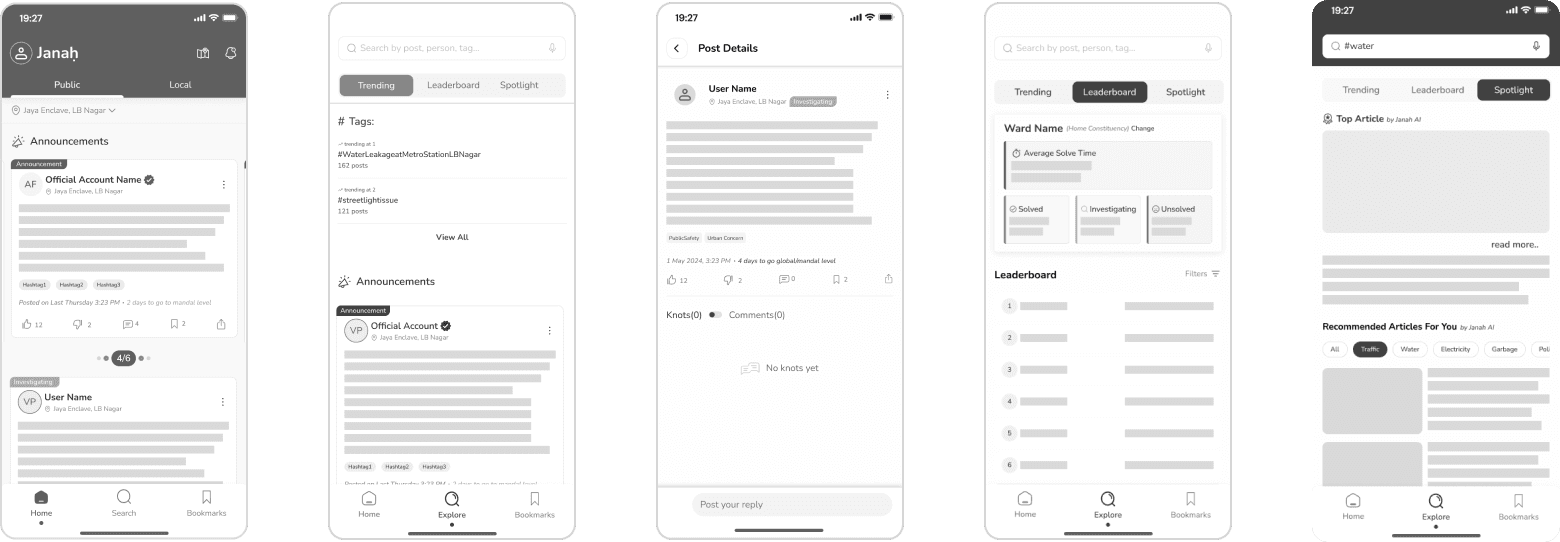
Before jumping into visual details, I created digital wireframes to map the structure and flow of the app. These helped me validate layout decisions early and make sure the experience stays simple and intuitive.
below are some of the wireframes that we have used for Janah
Usability Testing
Before polishing visuals, First I conducted unmoderated usability studies with several participants, who answered various questions about the app and provided their observations while interacting with the initial low-fidelity prototype. After collecting the data, I analyzed it and synthesized the findings. Ultimately, I identified key themes and generated several insights. The goal was to identify pain points that the user experiences with the app designs so the issues can be fixed before the final product launches.
1
Misunderstood Anonymous toggle
Participants assumed anonymity applied automatically. Participants didn’t notice the Public / Anonymous toggle; some assumed anonymity applied automatically.
2
Users skipped description field
60% of participants tapped “Skip” or left description blank; those who tried typed very short phrases.
visual foundation
Design System
A civic-tech identity built for clarity, trust, and accessibility.
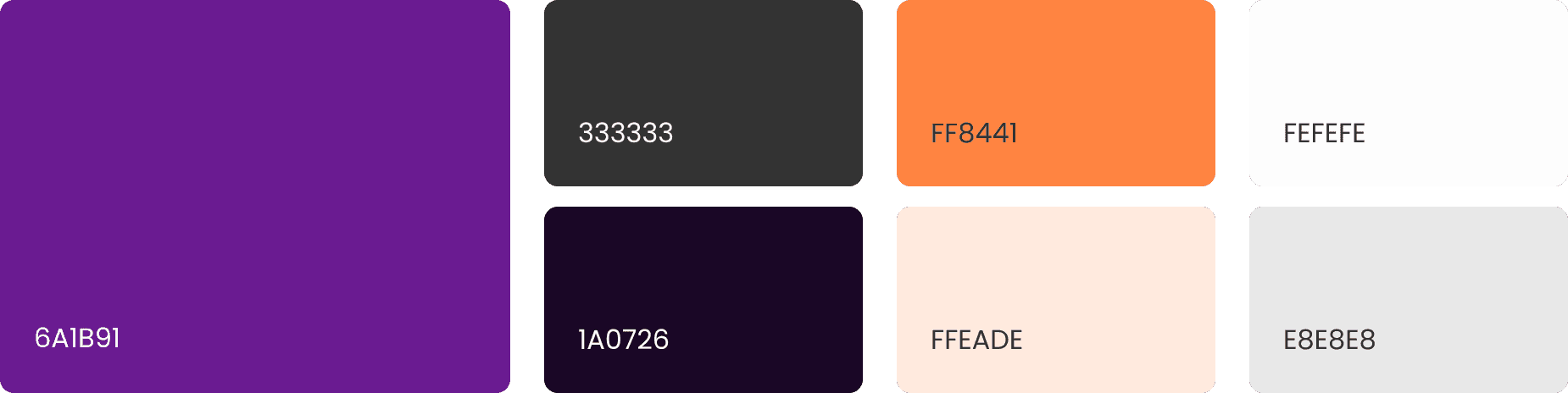
After finalizing the core flows, I established a design system to ensure Janaḥ feels consistent, trustworthy, and accessible across citizen interfaces, municipal dashboards, and low-end devices.
This design language builds on a warm, civic-friendly palette, a human-centered logo, and typographic choices optimized for readability in multilingual contexts.
Logo & App Icons


Janaḥ
The Janaḥ logo symbolizes a rising action , a gentle curve leading upward — representing a citizen lifting an issue into visibility.
The dot represents the face & voice of the citizen, while the curved hook suggests:
support
uplift
visibility
Typography
Readability, Accessibility, Emotional comfort, Device compatibility
Nunito
(Regular / Semi bold / Bold )
Report an Issue in Under 60 Seconds
Typography in Janah was chosen not to impress, but to be understood.
Nunito has open letterforms and generous spacing. Improves legibility for users. It has wide range of weights and supports WCAG-compliant contrast usage.
Color palette
design translation :
Redefining Design
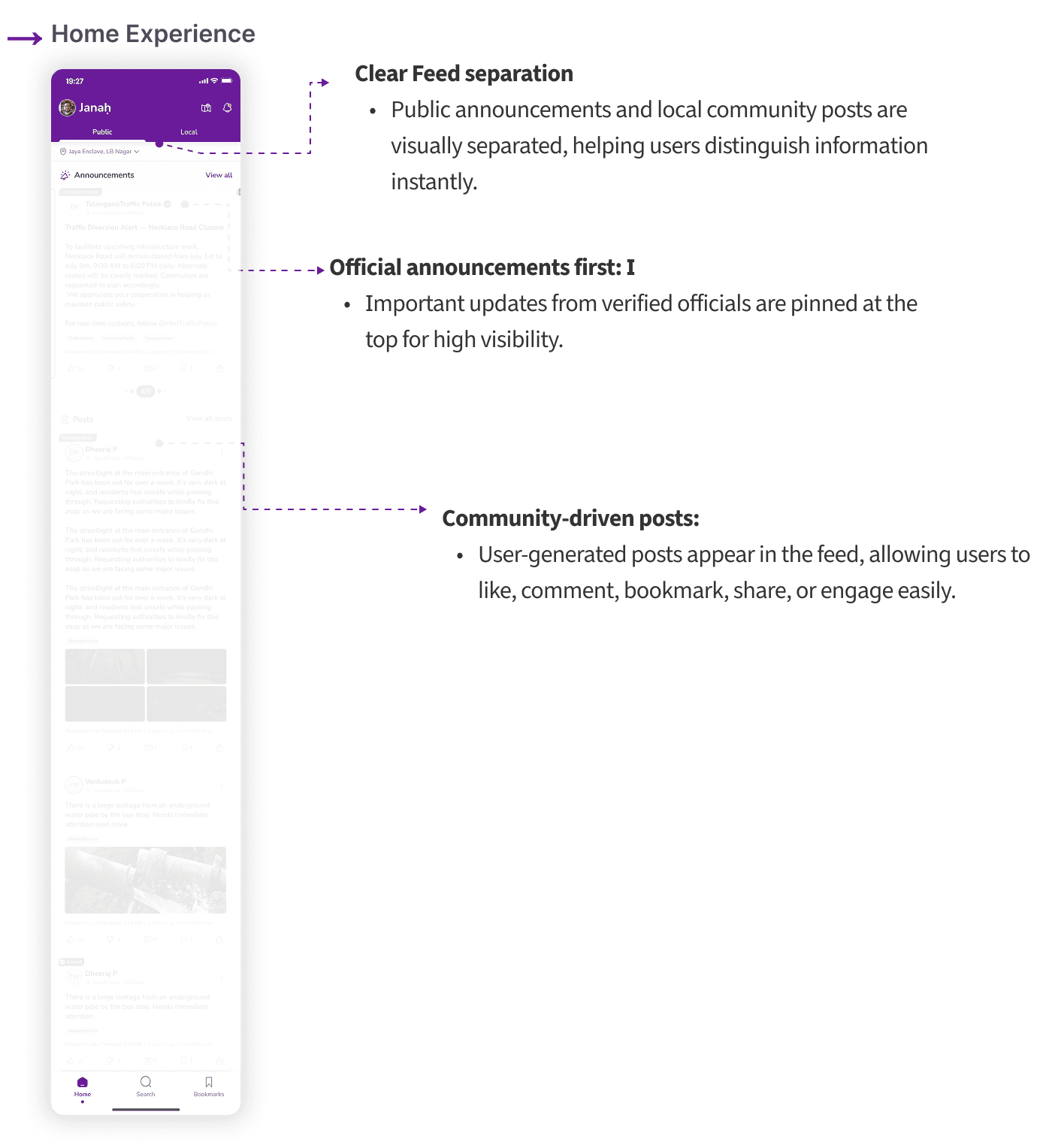
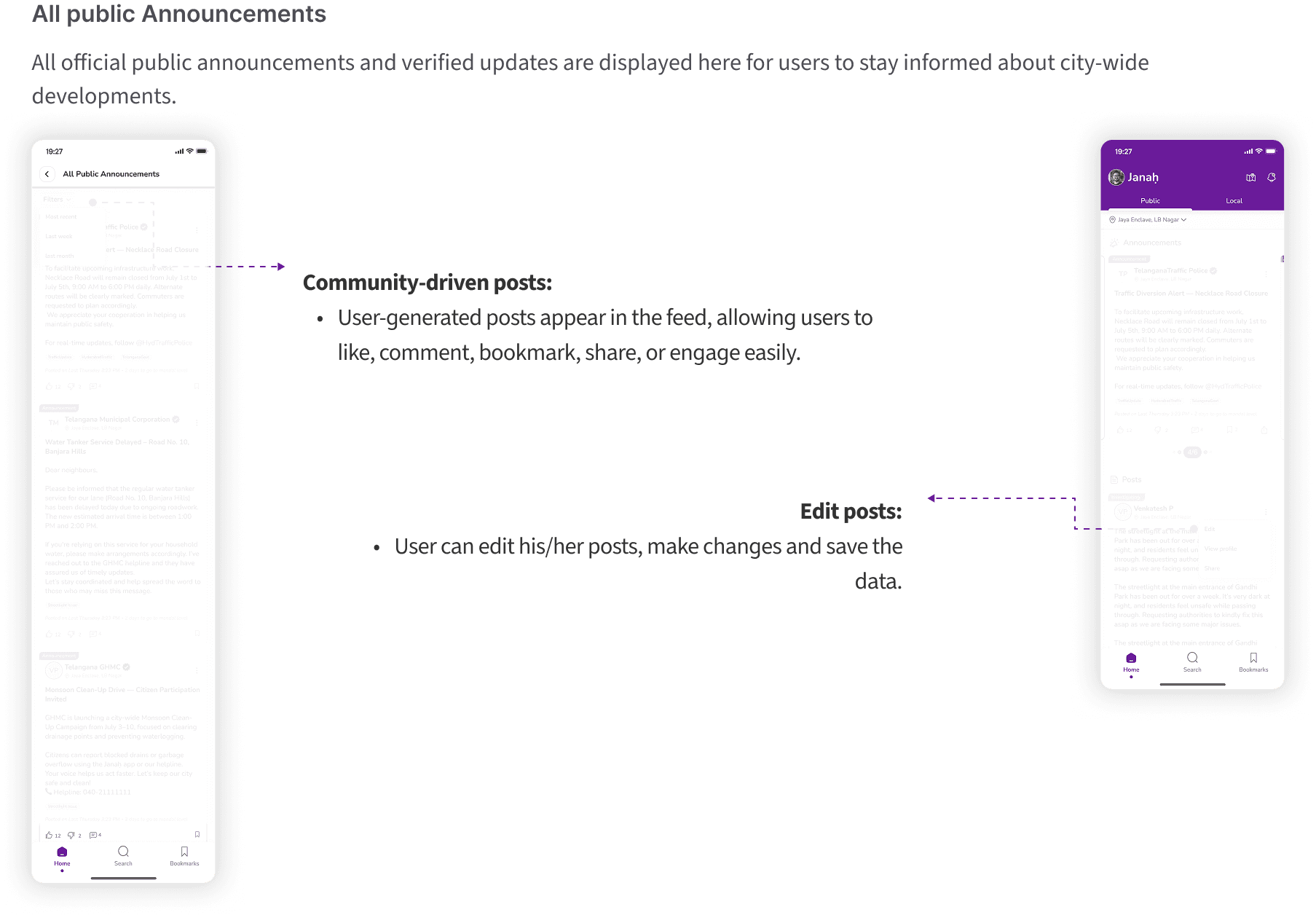
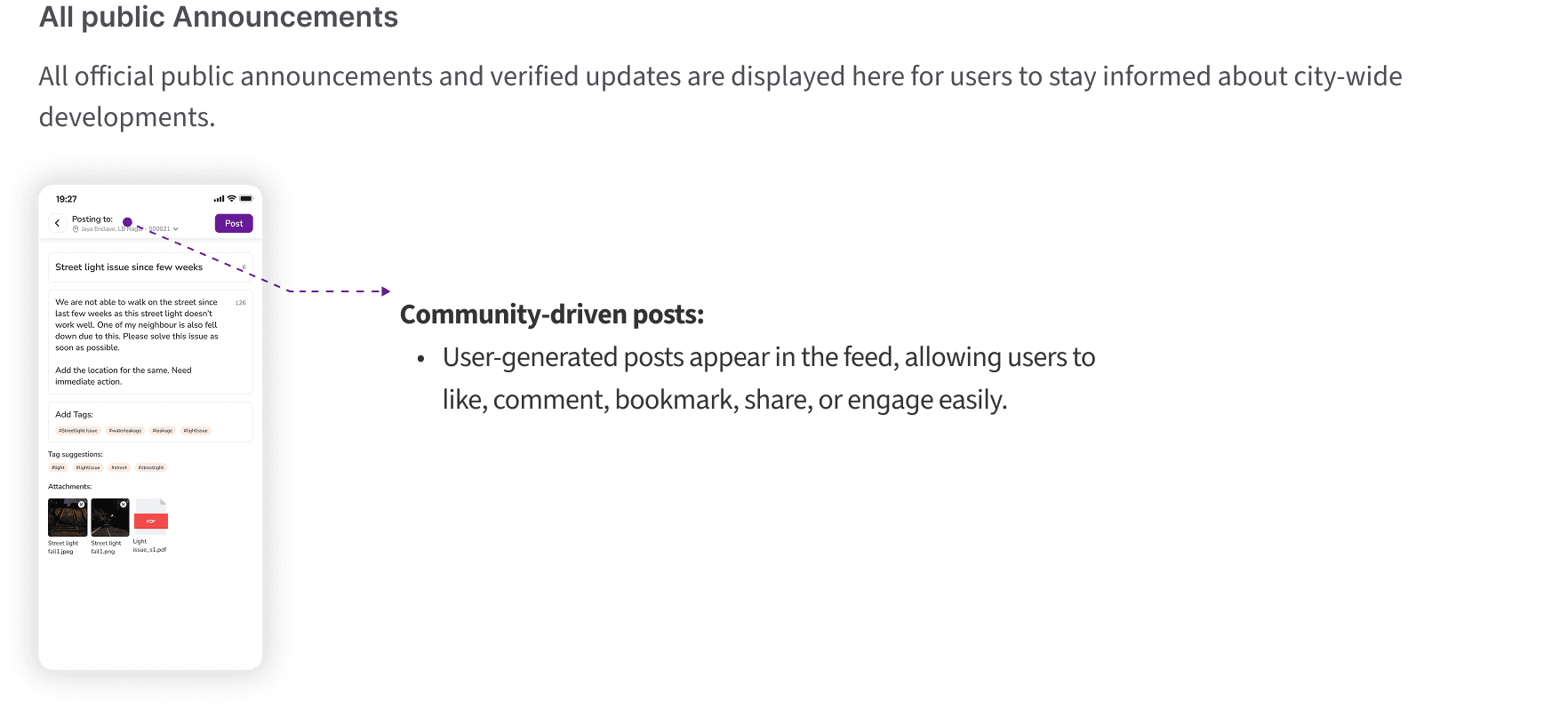
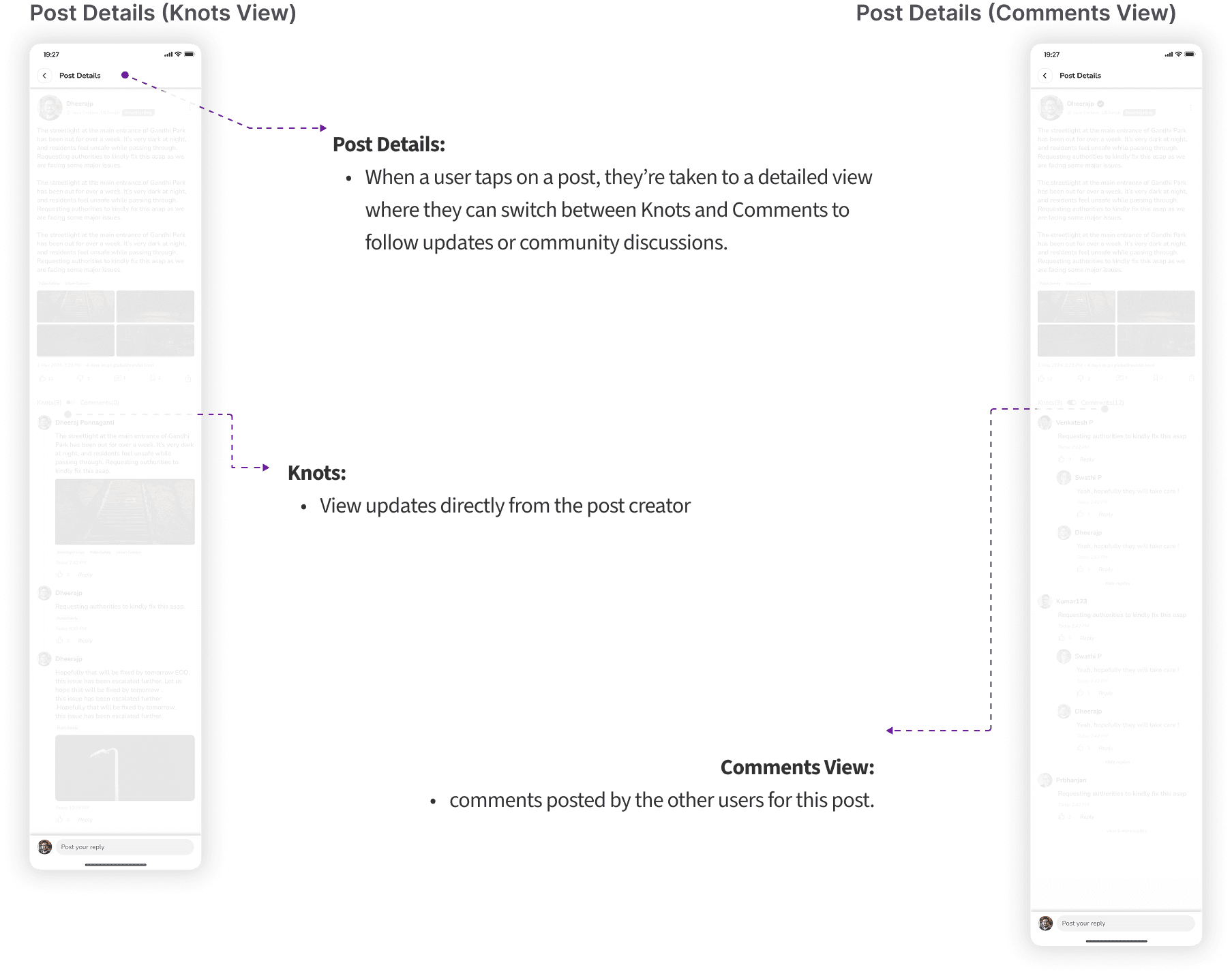
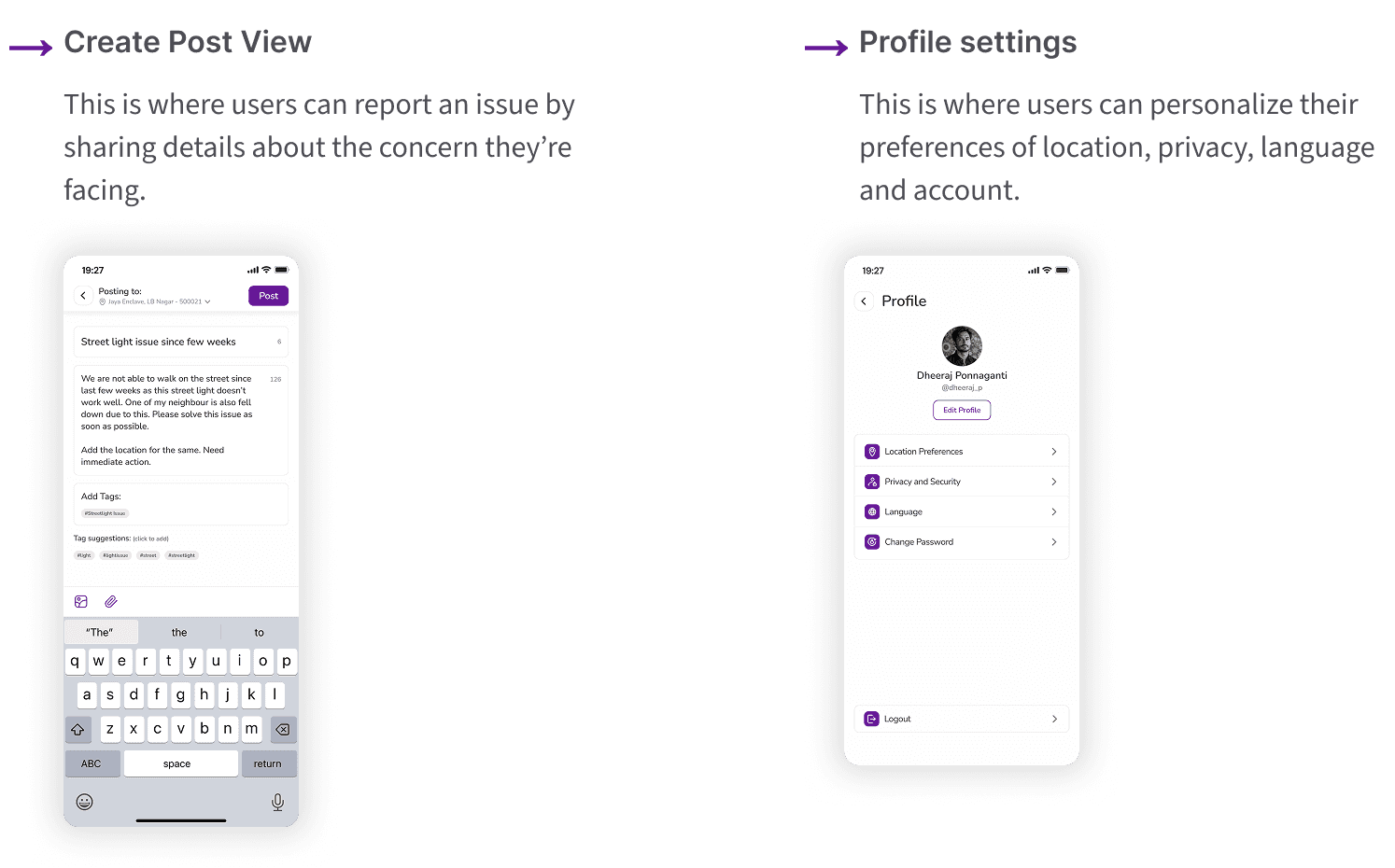
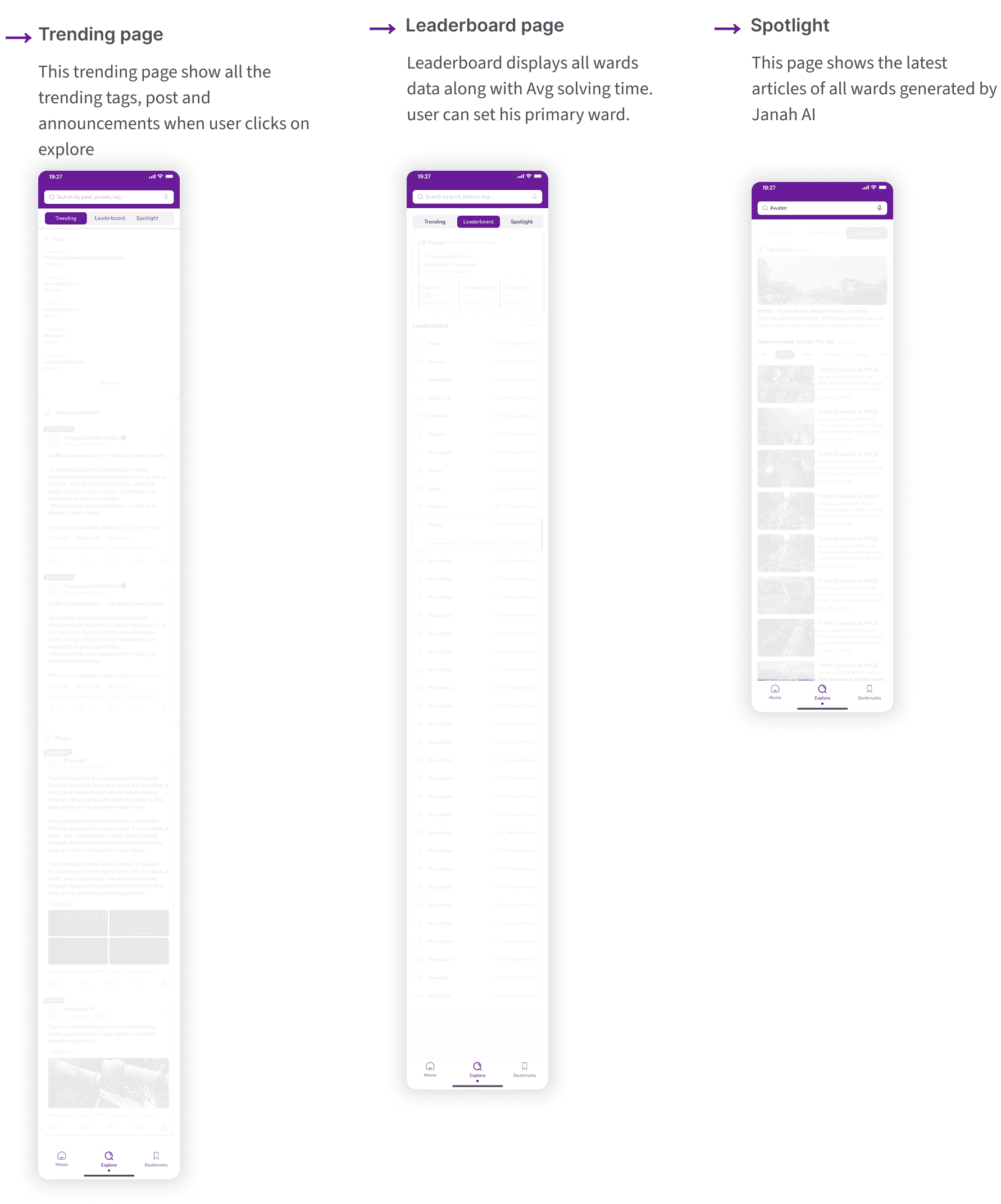
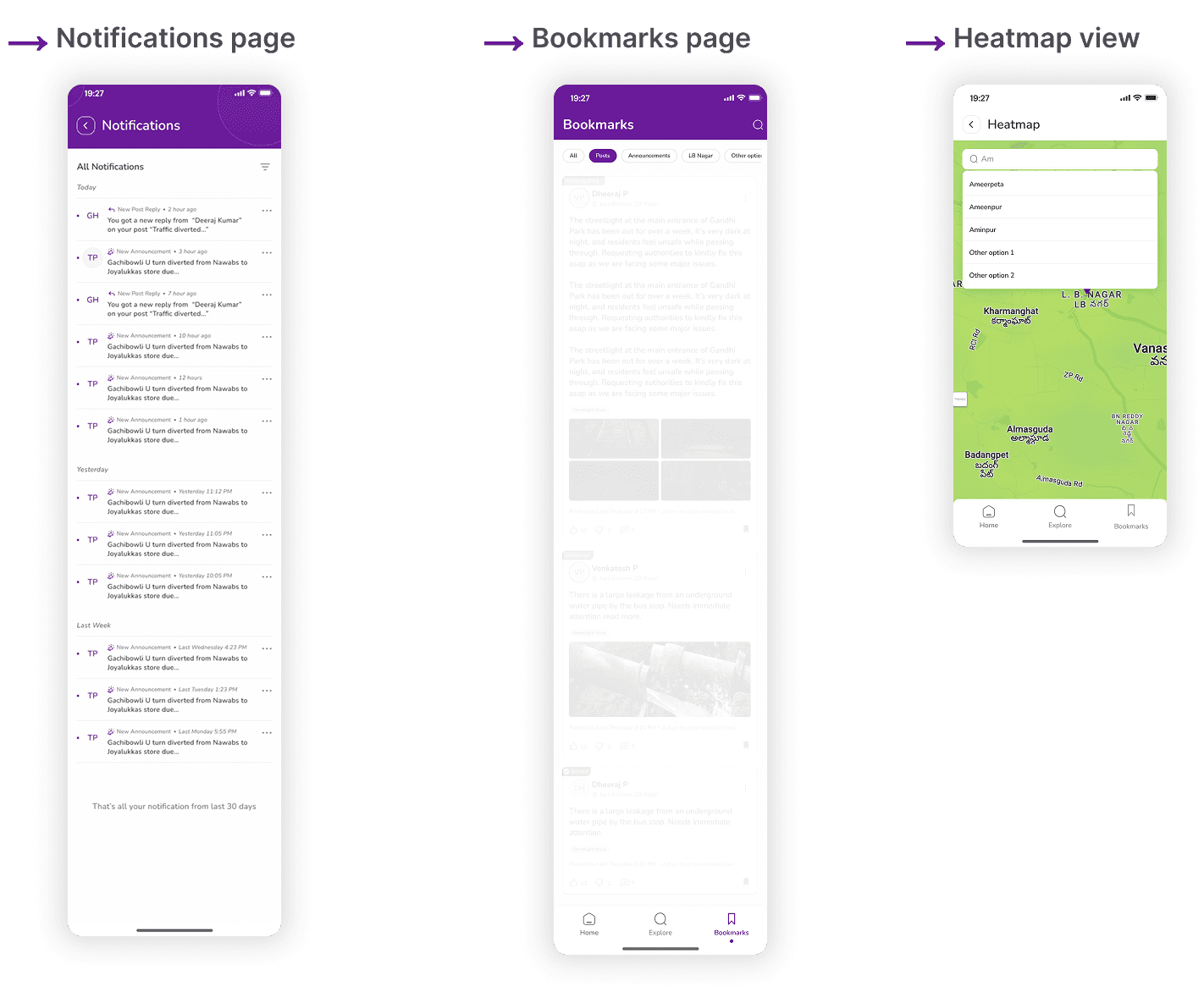
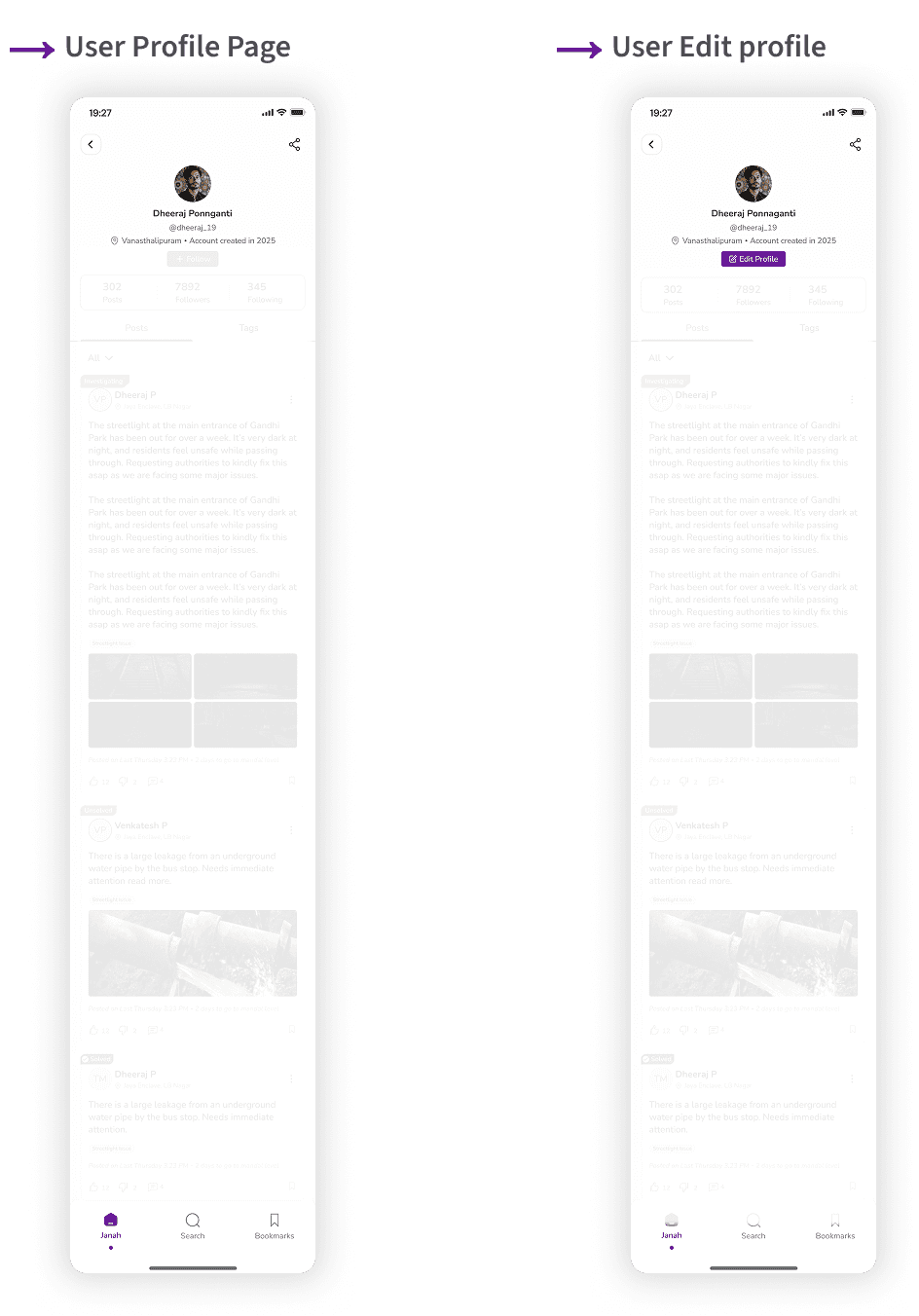
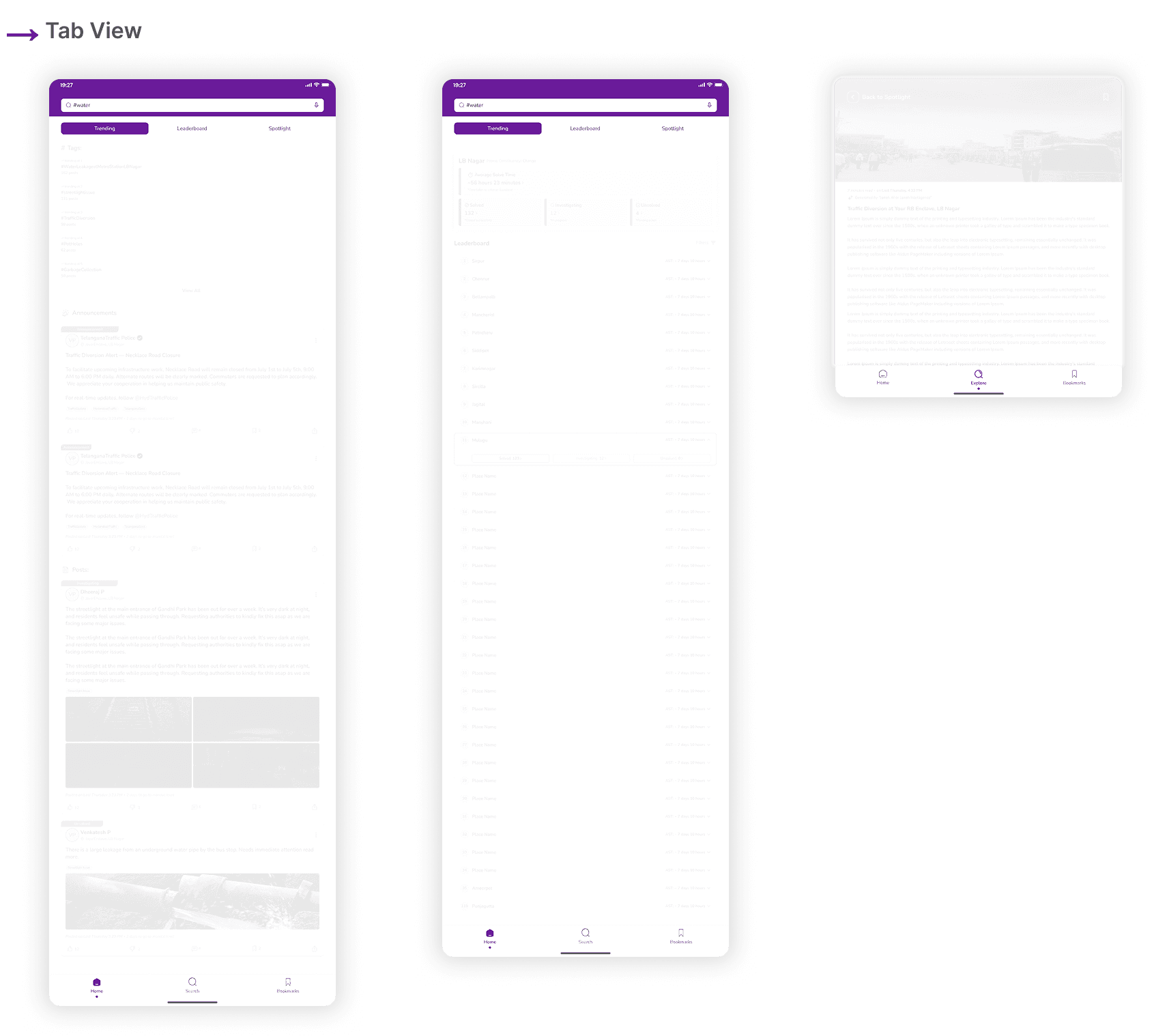
Based on what I learned from the usability tests, I moved on to creating the high-fidelity mockups. These screens represent how the final product would look and behave.
These screens introduce the app, set basic preferences, and smoothly guide users into the home experience.
what changed :
Outcome
Janaḥ transformed a fragmented, frustrating reporting workflow into a simple, transparent, and evidence-driven civic experience. The design reduced reporting time to under 60 seconds, brought clarity to municipal workflows, and established a foundation for accountability through timelines, routing, and escalation.
What began as a complex civic-tech challenge resulted in a human-centered, scalable system that empowers citizens and supports government efficiency.
Takeaways
A civic-tech identity built for clarity, trust, and accessibility.
“Since Janaḥ has not yet been deployed, the following impact metrics are projections based on research, competitive benchmarking, and usability test performance.”
Impact
Faster reporting: Prototype users completed reports in under 60 seconds.
Higher clarity: 100% of testers understood the new status timeline.
Better accessibility: Low-literacy users completed flows with fewer errors.
Reduced confusion: Auto-routing removed the question “Whom should I contact?”
Greater trust: Testers felt reassured seeing “Assigned → In Progress → Resolved” timeline.
What I Learned
Designing for India requires designing for constraints - network issues, literacy levels, device diversity.
Real problems are behavioral, not UI-based — trust, motivation, hesitation, confusion.
Systems thinking is essential - the product touches citizens, officers, planners, field teams.
Inclusivity is not optional - multilingual, low-data, and accessible patterns are crucial.
Next Steps
1
Conduct follow-up usability testing on the new app iteration.
2
Identify any additional areas of need and ideate on new features.